

What is Intercom?
Intercom is a customer communication platform that integrates various messaging services to facilitate business-to-customer interactions. It allows companies to manage support, sales, and marketing communications through live chat, bots, and personalized messaging.How it works
1
Link your Fillout form to Intercom
Open the form you want to  Then, enter an account name to connect.
Integrate with Intercom. Then, enter an account name to connect.2
Map your form fields
Match the fields in your Fillout form to the corresponding fields in Intercom for the new message. Make sure to include the contact’s email and the message content.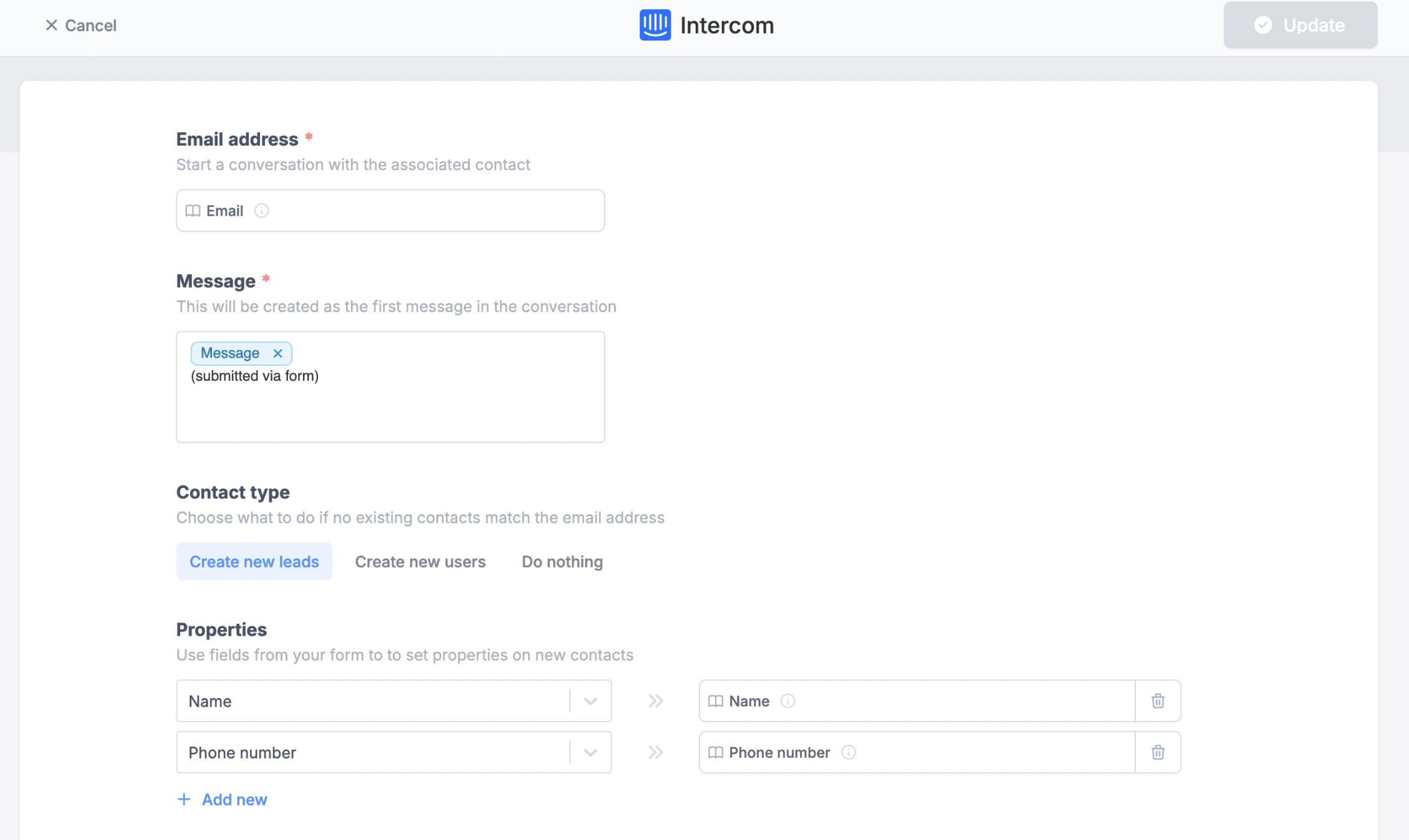
Create new leads or users if they don’t exist with the email in question, and associate answers in the form to the user.New conversations (or form submissions) are created as chats, not emails.
3
Publish and share
Once everything is set, click
Finish setup on the upper right corner followed by Publish.New form submissions will now create new messages, and optionally new leads/users directly in your Intercom!Specify a condition
You can run your integration only when a specific condition is met. Check out this guide.Related articles
Integration logic
Perform an integration only when a certain condition is met.
Manage contacts on ActiveCampaign
Add and update contacts with a form.
Turn requests into Linear issues
Create and manage issues with a form.