

Video tutorial
How it works
Calculations in Fillout forms let you compute values and respondent input, and display them. They are built using step-by-step rules rather than a single formula. For example, let’s calculate the total cost of a chicken wings order based on quantity.Interactive demo
Each rule performs one operation, and the result is passed to the next rule in sequence. For example, instead of writing “(A + B) x C” in one line, you would break it down into separate rules:- Rule 1: Start with A (initial value = @FieldA) and Add @FieldB
- Rule 2: Take the total from Rule 1 and multiply by @FieldC
- Values are rounded to 2 decimal places
- Trailing zeros are not displayed (e.g.
10.2not10.20) - No currency symbols or thousands separators are added
Add a calculation
By opening the Logic modal, you can create calculations to compute values dynamically based on static values or previous respondent input. Let’s add calculations to an order form.1
Open Logic
Click the 

Logic modal in the bottom-right of your form editor.Calculations on top followed by + Add new calculation.- Number - for numerical results like price or score
- Text - for dynamic text based on responses
- Duration - for intervals between dates, like age or term
number type.2
Enter initial value
Type the value you’d like to start with. Some common examples: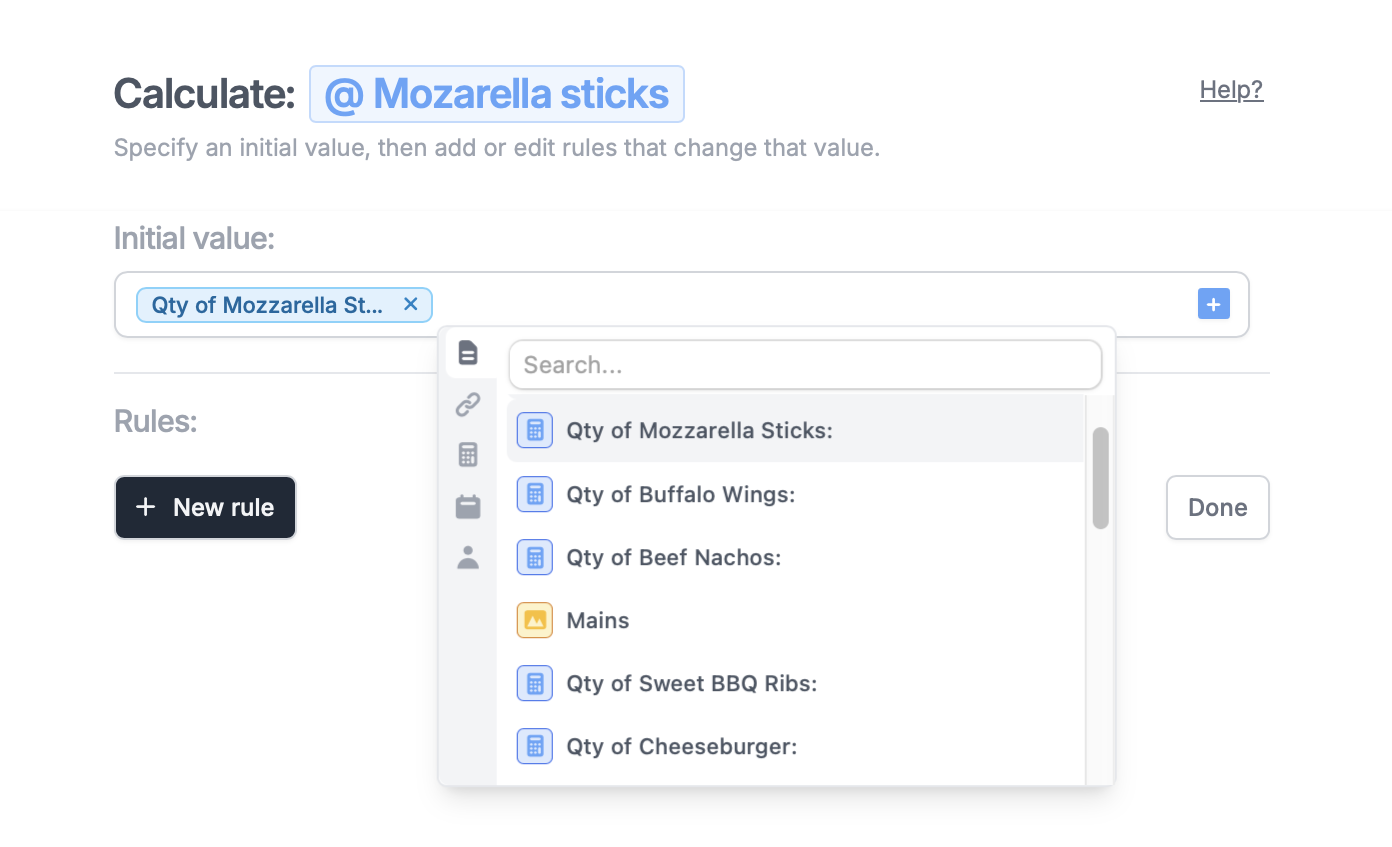
- 0 - to add to a price variable as options are selected
- 100 - to deduct points from a quiz
- Any arbitrary text - for a text calculation, or leave empty
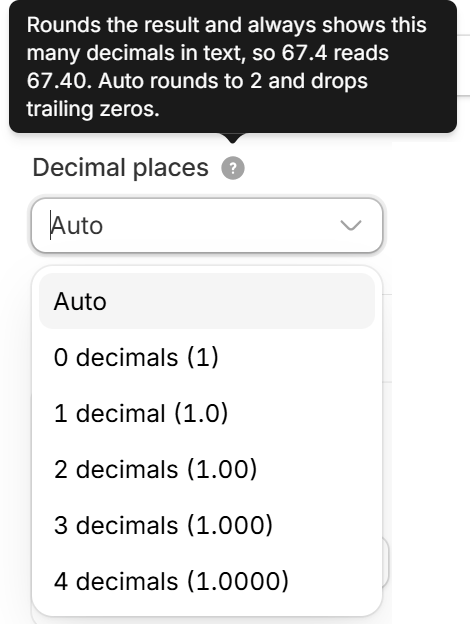
- Auto - rounds to 2 decimal places and drops trailing zeros, so
67.40shows as67.4 - 0 to 4 decimals - rounds the result and always shows that many decimals in text, so with 2 decimals,
67.4shows as67.40
3
Define rules
Click 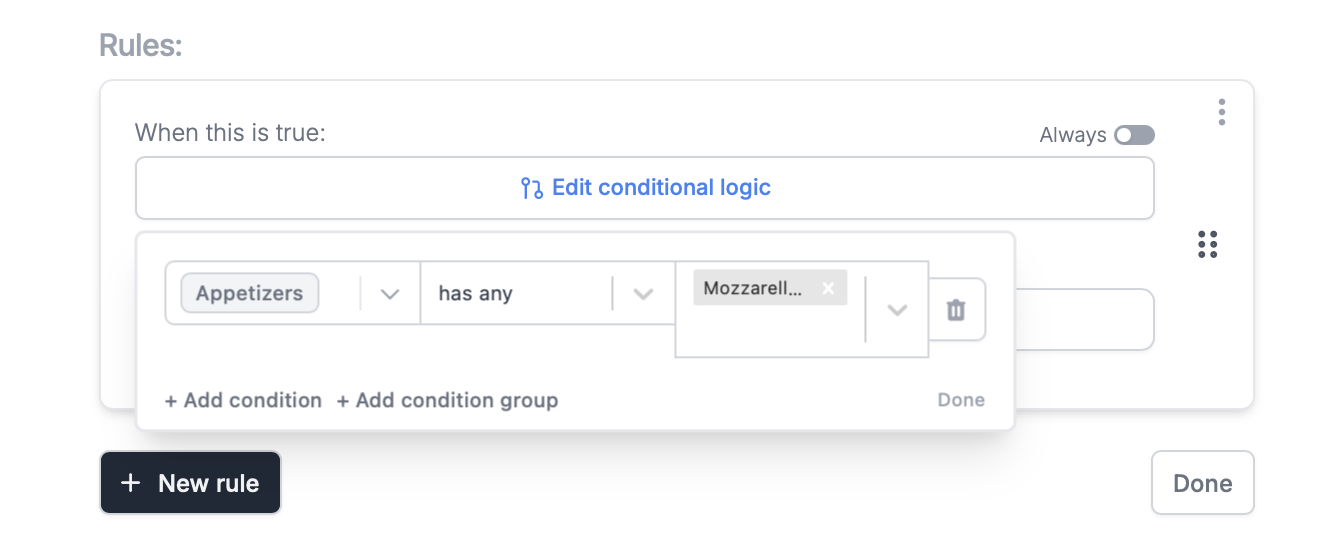
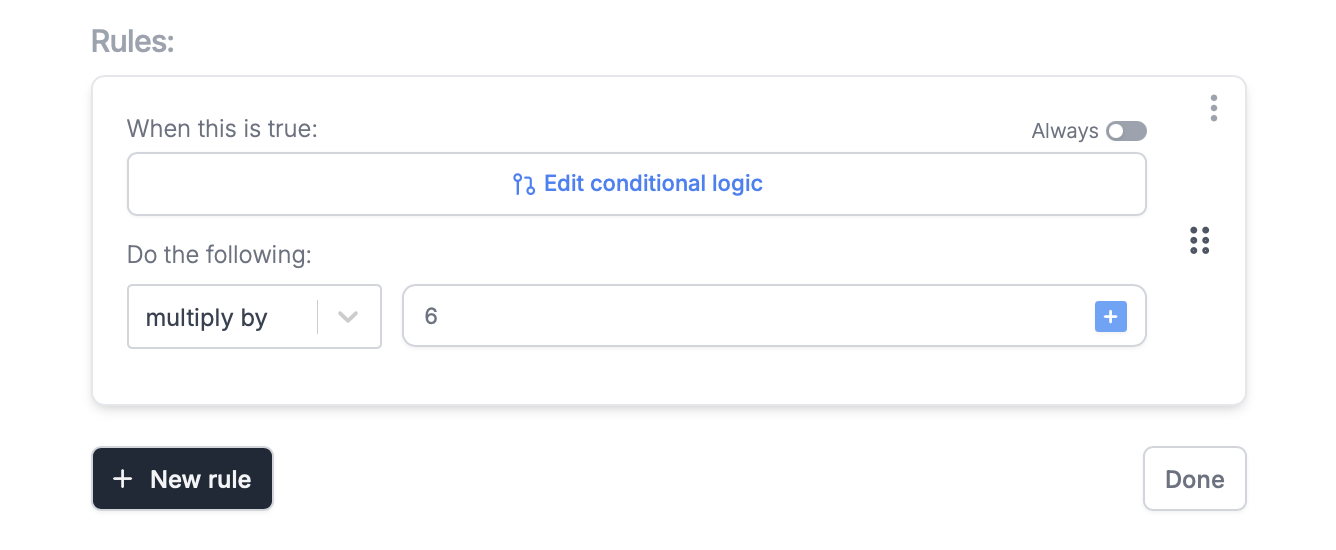
+ New rule to determine how the initial value will change. A rule is made up of 3 main parts:- Condition - a parameter, that when true, performs the calculation (e.g. add x amount when a respondent selects “yes” to a previous question)
- Operation - what to do to the calculation (e.g. add, subtract, multiply, divide)
- Operation value - the value used with the operation (e.g. add x amount to your initial value)
Set conditional logic followed by + Add condition. Select the question or field on the left, qualifier in the middle, and choice on the right.4
Test your calculation
Exit Logic and click
Preview on the upper right corner to check that it works as intended.5
Publish and share
Once everything’s set,
Publish and share or embed your form.Rule hierarchy for results
To resolve conflicts between rules, results follow a clear priority order. Higher-priority rules always take precedence over lower-priority ones.- A always wins (Highest priority): All A rules take precedence over every other rule.
- B always wins after A: Applies after A. B rules are overridden when they conflict with A.
- C always wins after B: Applies after A and B. C rules are overridden when they conflict with A or B.
- D only wins when the others don’t (Lowest priority): Only applies when none of the higher-priority rules (A, B, or C) apply.
Dynamic calculation
Make the price dynamic After adding a payment page, type @ or click and click to reference a calculation. Now, the price will change depending on the customer’s order.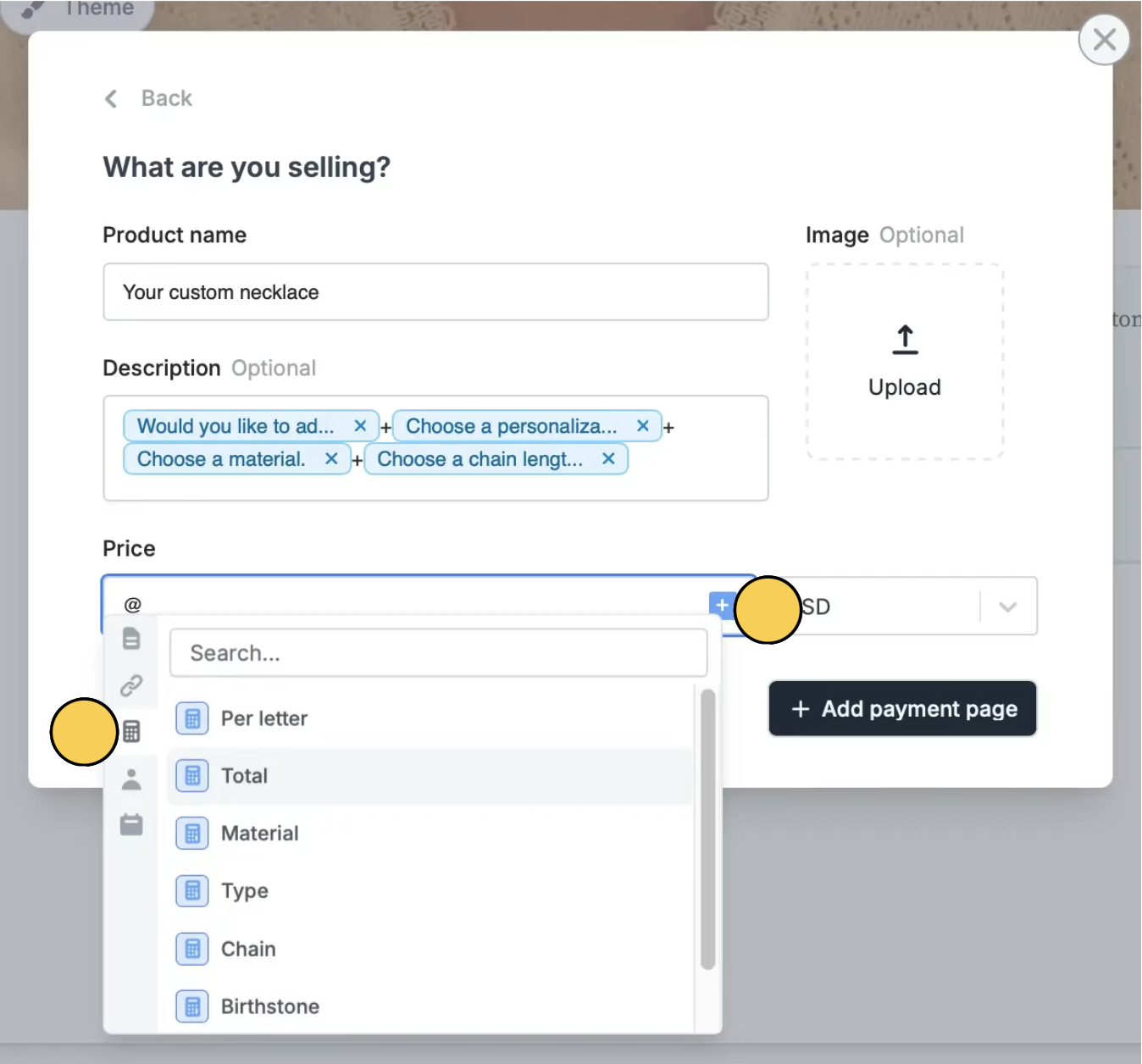

Compute duration
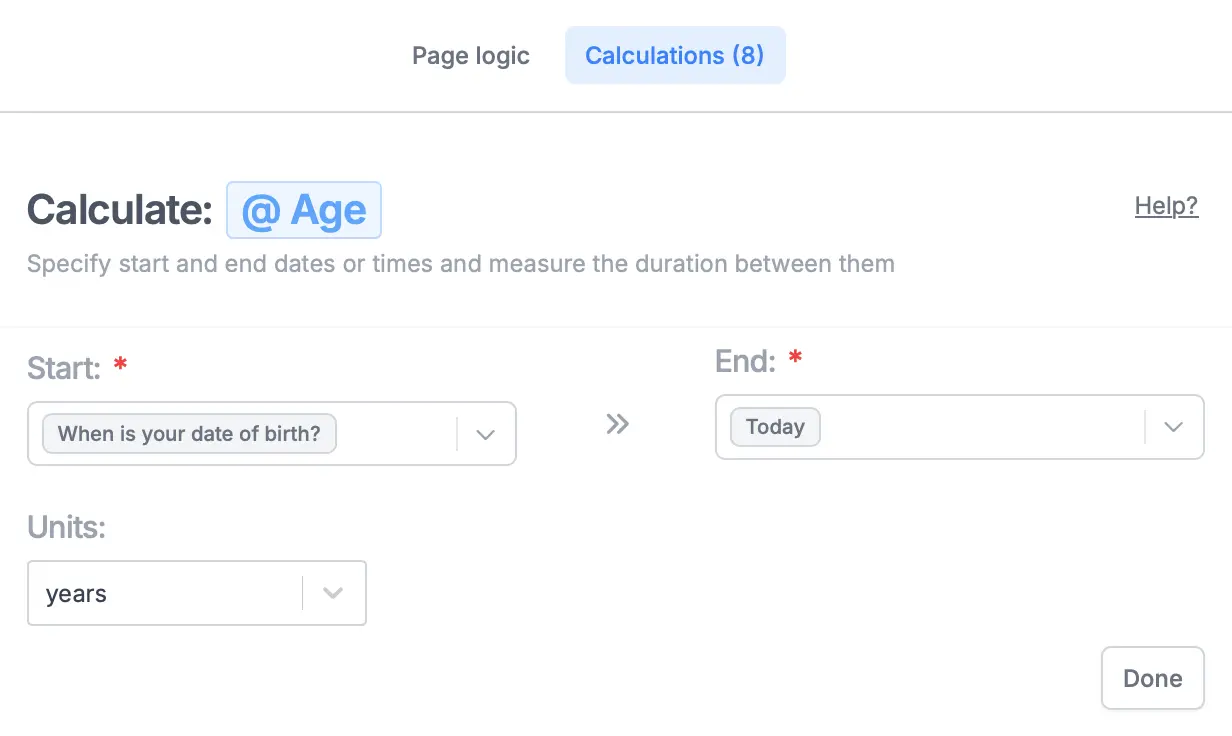
Determine age, trip duration, warranty validity, and more with aduration calculation. Simply enter a date range.
Pre-fill fields with a calculation
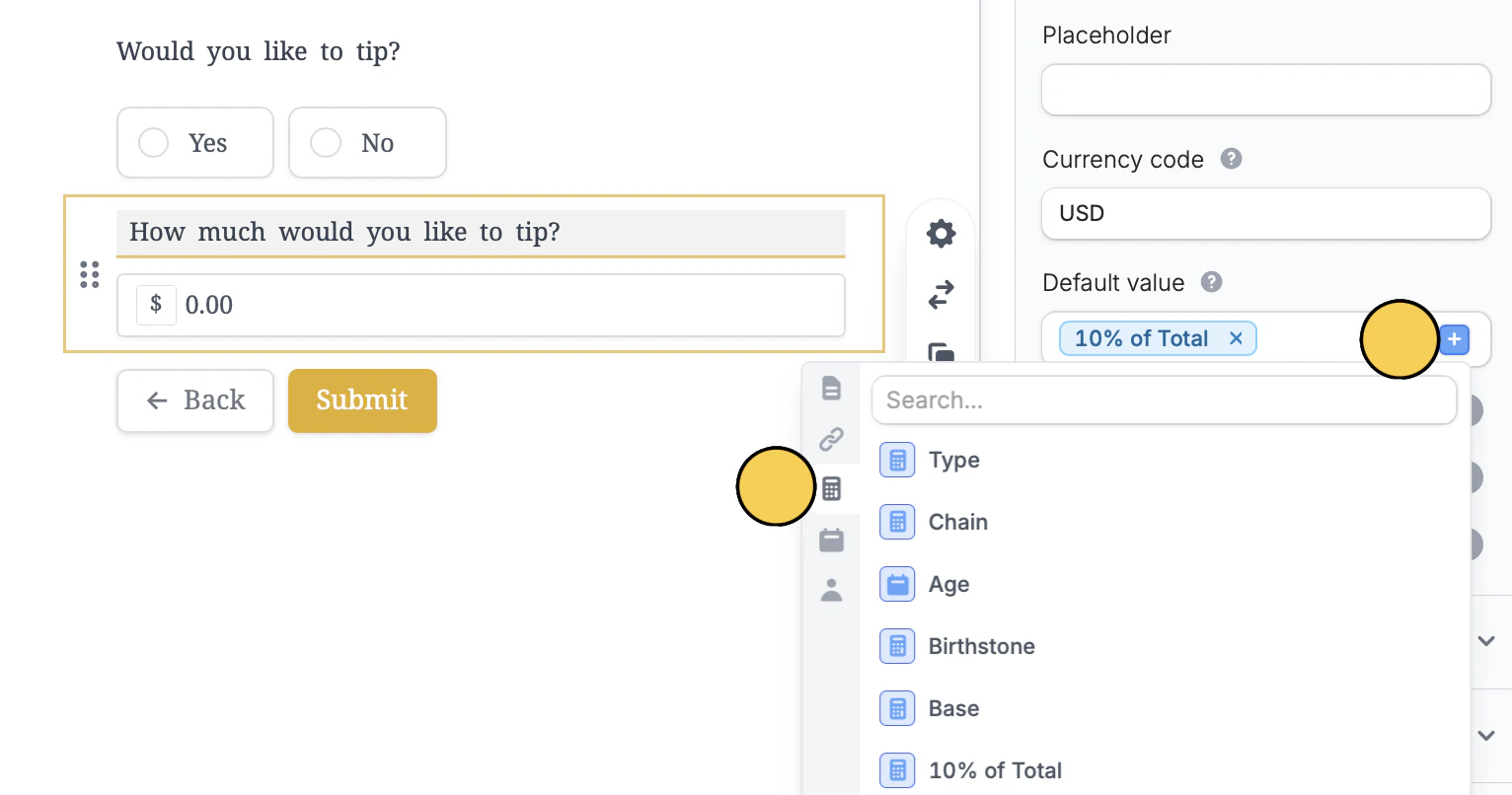
Much like how fields are pre-filled elsewhere in Fillout, you can reference calculations there as well.Compute quiz scores
Fillout automatically computes the score and lets you display it on any page you prefer. Additionally, you can use weighted scoring, which also lets you assign results based on total score.Related articles
Answer piping
Insert previous answers into upcoming questions or fields.
Pre-fill fields
Pre-populate fields based on previous inputs and more.
Integration logic
Perform an integration only when a certain condition is met.