

What is Brevo?
Brevo (formerly Sendinblue) is an all-in-one marketing platform that helps businesses manage their email marketing, SMS campaigns, and customer relationship management (CRM) in one place.How it works
1
Connect your Fillout form to Brevo
Open an existing form or create a new one. Head over to 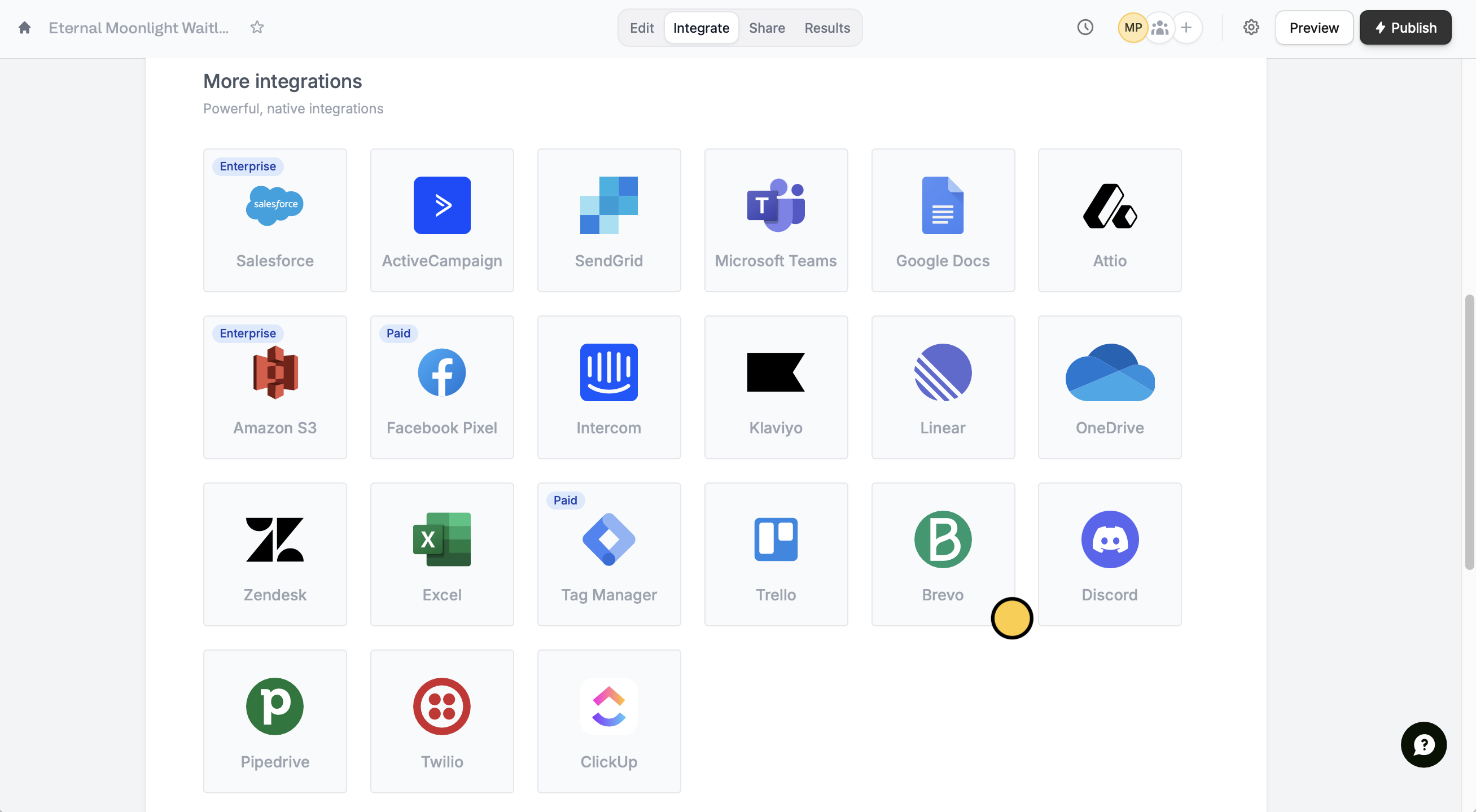
Integrate and look for Brevo.Continue.2
Link form fields
First, select the 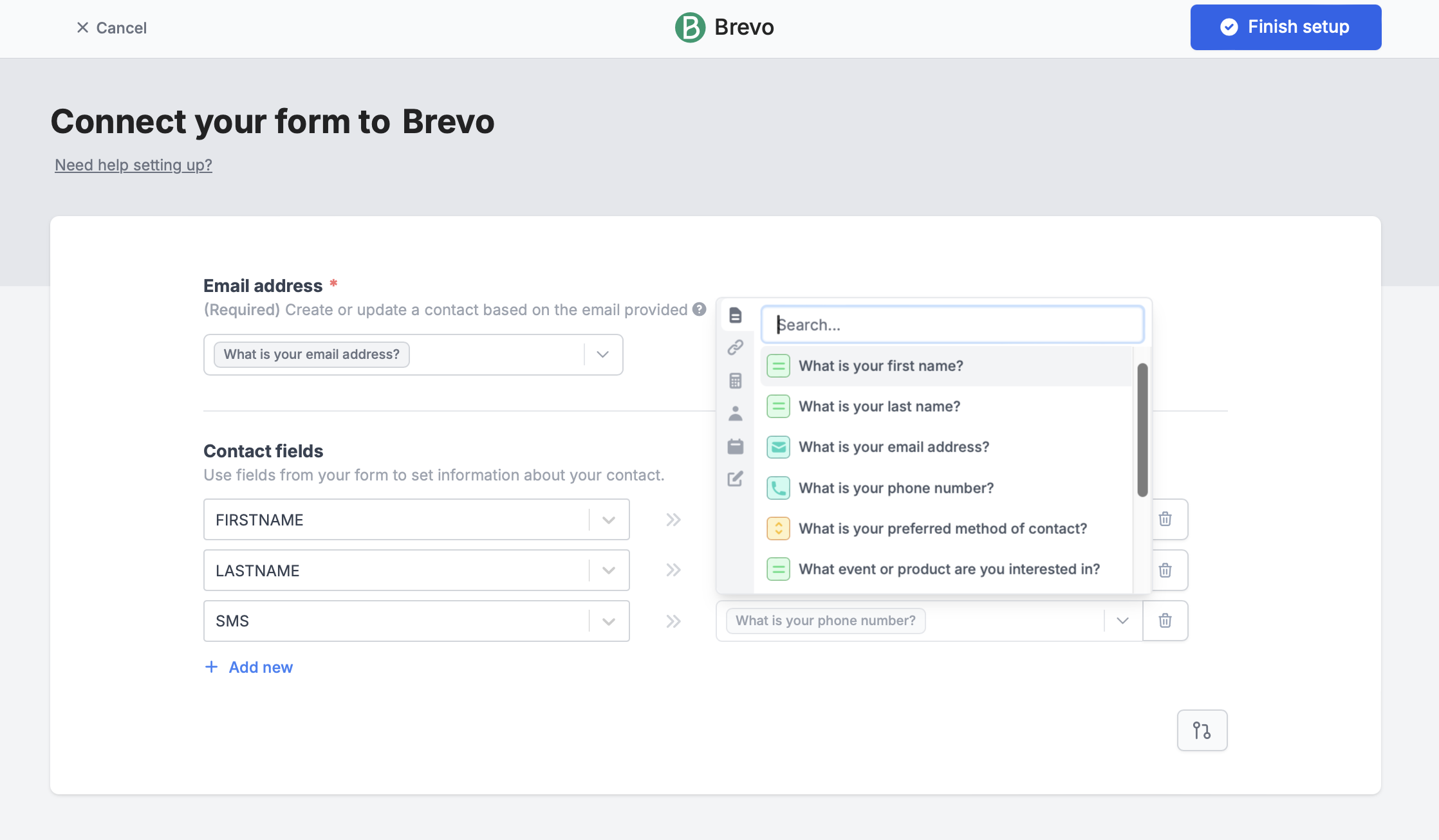
Email address field. Then, + Add new fields to map the corresponding Contact fields in Brevo to those in your form.Finish setup once everything is set.3
Publish and share
That’s it! Click
Publish in the upper right corner to share your link or embed it on your website.Now, every time someone submits your form, a new contact will be added to your chosen list. If an email already exists, the contact details will be updated.Specify a condition
You can choose to run your integration only when a certain condition is met. Check out the quick guide here.Related articles
Integration logic
Perform an integration only when a certain condition is met.
Page logic
Hide or show pages or custom endings based on respondent input.