

How it works
Build custom support apps on Zite with Intercom. This enables your app to create tailored support tools, manage conversations, route tickets, and automate customer support workflows. By connecting Intercom, you can:- Access Intercom customer profiles, conversations, and attributes
- Send messages from your app to Intercom
- Build escalation and ticket routing workflows
- Create support dashboards powered by Intercom data
- Look up Intercom customers with full activity context from your app
How to integrate Intercom into your app
Connect to Intercom
In the chat box, request your app to be integrated with Intercom or click the 
plug icon .Enter use case
Tell Zite how you want to use Intercom in your app. For example, we’ll enable creation of new tickets to sync to Intercom and for updates there to reflect on our app.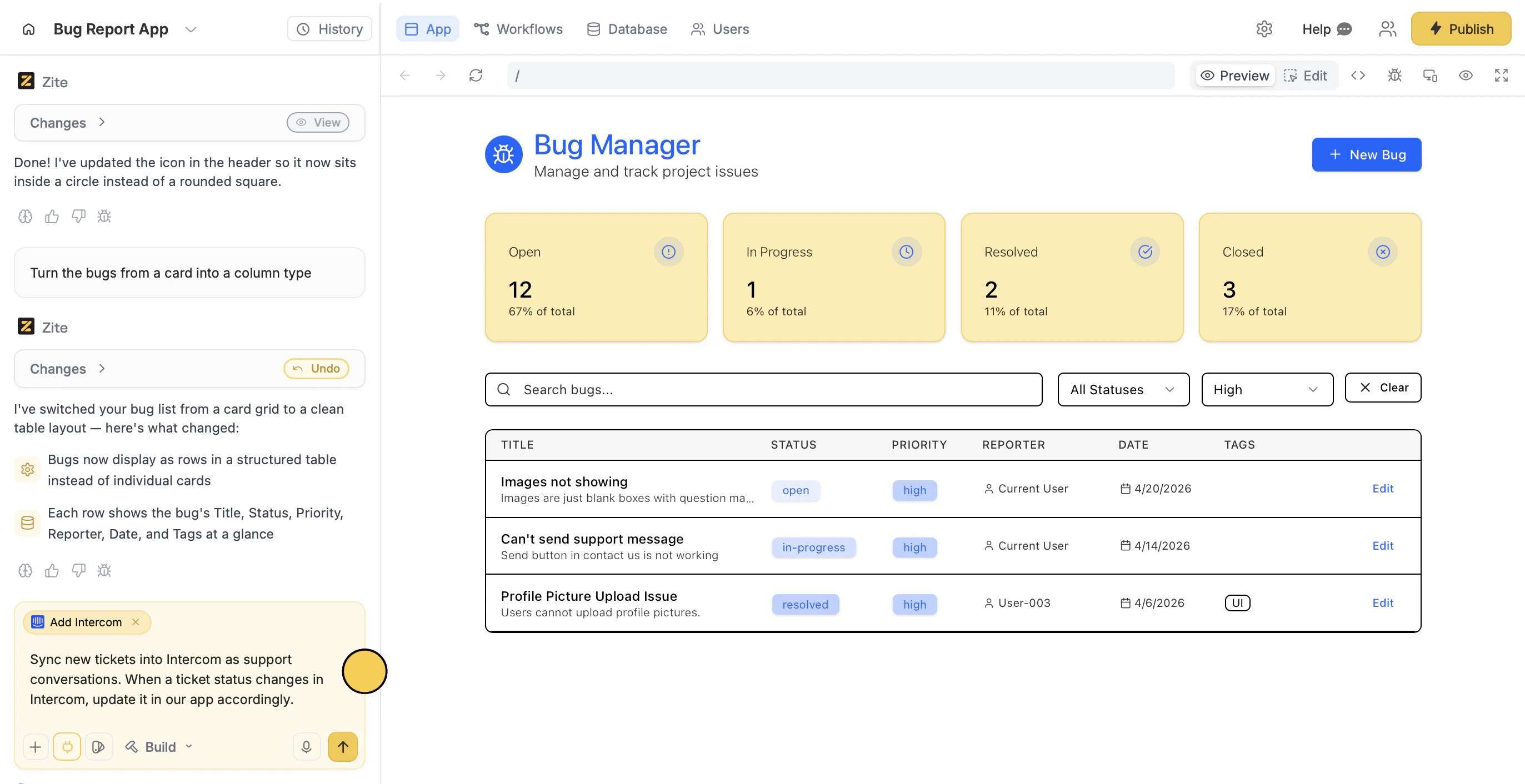
To trigger Intercom updates as in-app Zite notifications, point a webhook to your app’s
/api/intercomWebhook and subscribe to conversation updates.Deploy and share
Use the chat box or the respective buttons in your app to ensure everything’s working properly.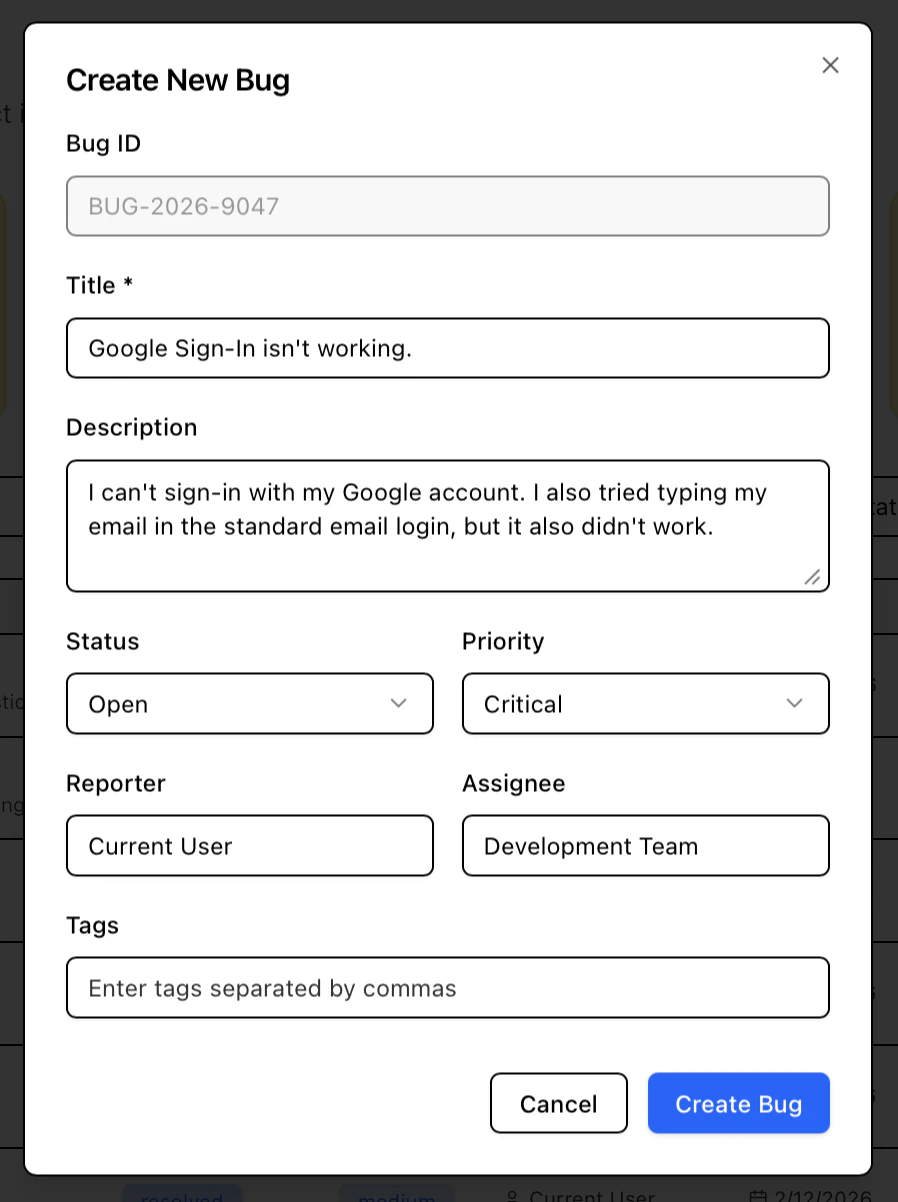
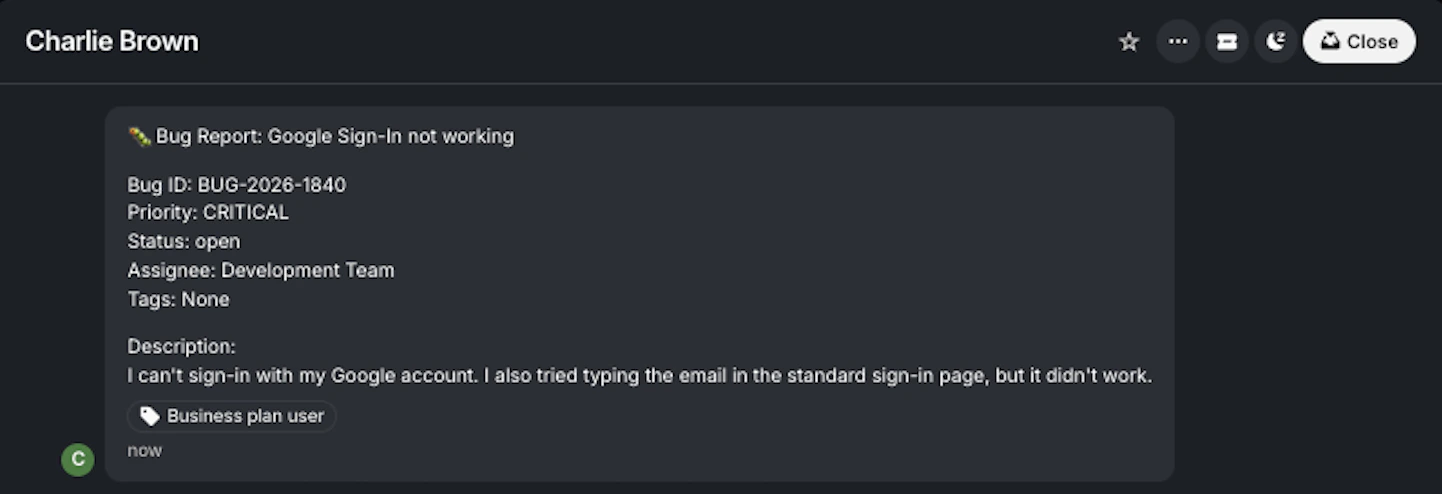
Publish in the upper right corner and share your app.Modify the theme or style specific elements your app to personalize it or match it with your brand.Common use cases
With an Intercom connection, you can create apps like:- Support Dashboards: Let users monitor conversations, response times, and resolution metrics in real time
- Customer Health Trackers: Let users combine Intercom data with other sources to identify at-risk accounts and track engagement health
- Lookup Tools: Let users search and view full customer profiles, including conversations
- Support Workflow Automation: Trigger routing, escalations, and follow-ups based on customer activity or messages
- Messaging Tools: Let users send onboarding, outreach, and event-based messages directly from your app
- Customer Insight Tools: Let users analyze support interactions to uncover trends and improve response quality