

Overview
Integrations let your Zite app connect to external services like databases, spreadsheets, and messaging tools. Once connected, Zite can read and write data, send notifications, and more. Zite connects to 30+ integrations. Browse all integrations at zite.com/integrations.Data
| Integration | What it does |
|---|---|
| Airtable | Create, read, update, and delete records in your Airtable bases and tables |
| Google Sheets | Read rows, append data, and update spreadsheets |
| Notion (coming soon) | Read and write pages and databases in Notion |
| Zite Database | Create, read, update, and delete records in your built-in database |
| Google Drive (coming soon) | Upload, download, and manage files in Google Drive |
| Google Docs (coming soon) | Create and edit documents in Google Docs |
| Google Maps | Add location search, geocoding, and map views |
| OneDrive | Upload, download, and manage files in OneDrive |
| HubSpot | Sync contacts, deals, and CRM data with HubSpot |
| Integration | What it does |
|---|---|
| Send custom emails to users via built-in email | |
| Gmail (coming soon) | Builds apps on top of your Gmail data |
| Outlook | Builds apps on top of your Outlook data |
Messaging
| Integration | What it does |
|---|---|
| Slack | Send messages to channels or users |
| Twilio | Send SMS or WhatsApp messages to users |
| Microsoft Teams | Send messages and notifications in Teams |
| Intercom | Manage customer conversations and support |
AI
| Integration | What it does |
|---|---|
| OpenAI | Generate text, images, or structured data with AI |
| Anthropic (Claude) | Generate text and structured data with Claude |
| Gemini | Generate text and structured data with Gemini |
Calendar
| Integration | What it does |
|---|---|
| Google Calendar | Schedule bookings and appointments |
Workflow
| Integration | What it does |
|---|---|
| Fillout | Connect forms and collect responses |
| Linear | Create and manage issues and projects |
Payments
| Integration | What it does |
|---|---|
| Stripe (coming soon) | Accept payments and manage subscriptions |
Enterprise integrations
These integrations are available on the Zite Enterprise plan. Book a demo to get started.| Integration | What it does |
|---|---|
| Salesforce | Sync CRM data, contacts, and opportunities |
| ServiceNow | Manage IT service workflows and tickets |
| Okta (SSO) | Enable single sign-on authentication |
| Snowflake | Query and analyze data in Snowflake |
| NetSuite | Connect ERP data, financials, and inventory |
| Workday | Sync HR, payroll, and workforce data |
| Box | Upload, download, and manage files in Box |
| SAP (S/4HANA) | Connect to SAP ERP modules and data |
| Databricks | Query and process data in Databricks |
| Jira | Create and manage issues and projects |
Integrate from scratch
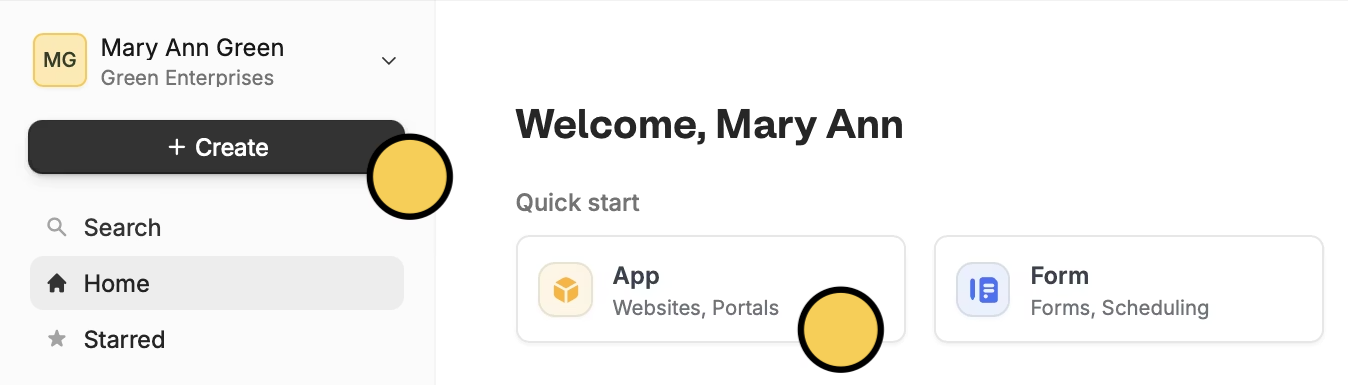
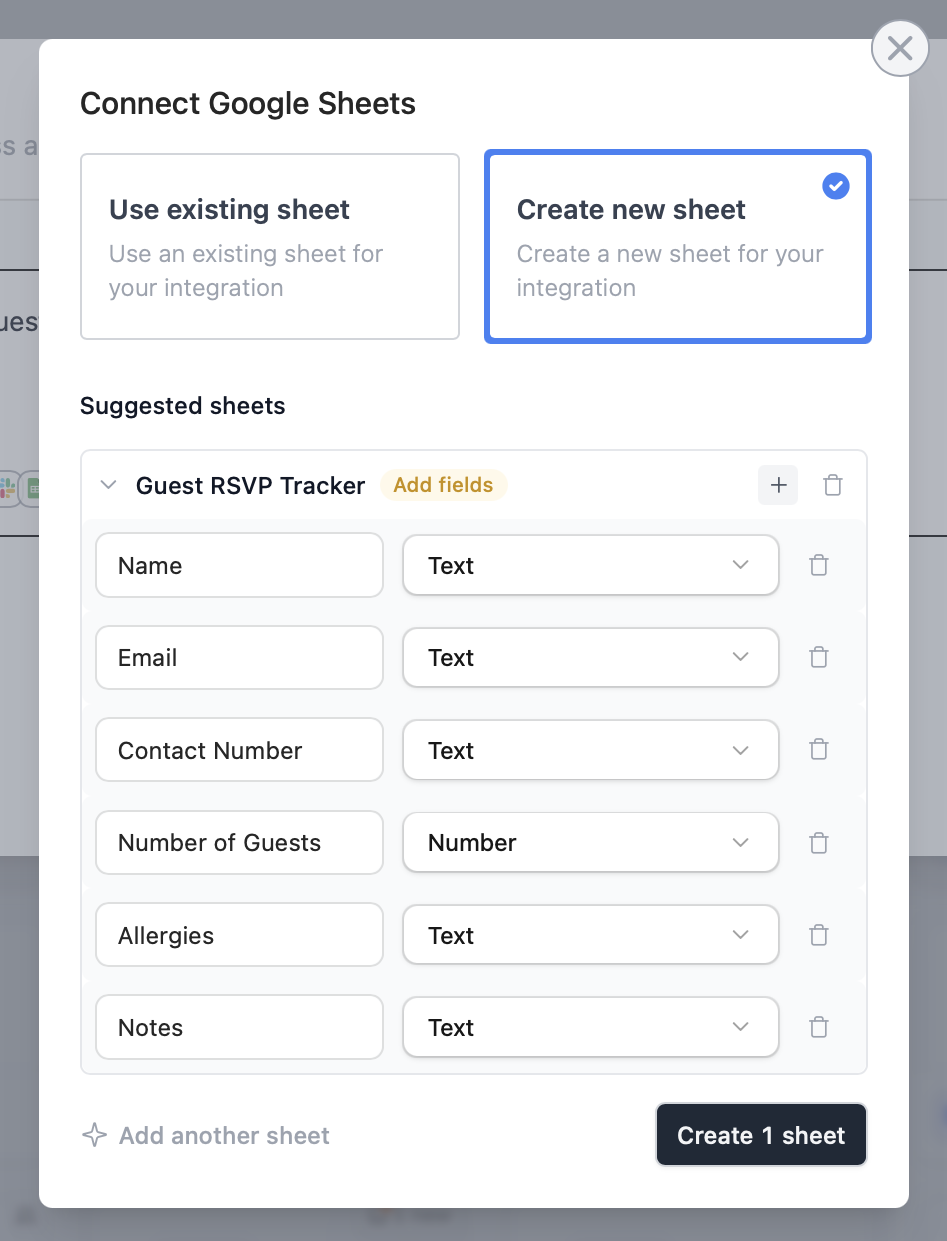
Choose your integration
Enter a prompt for your app, then choose an app to integrate it with.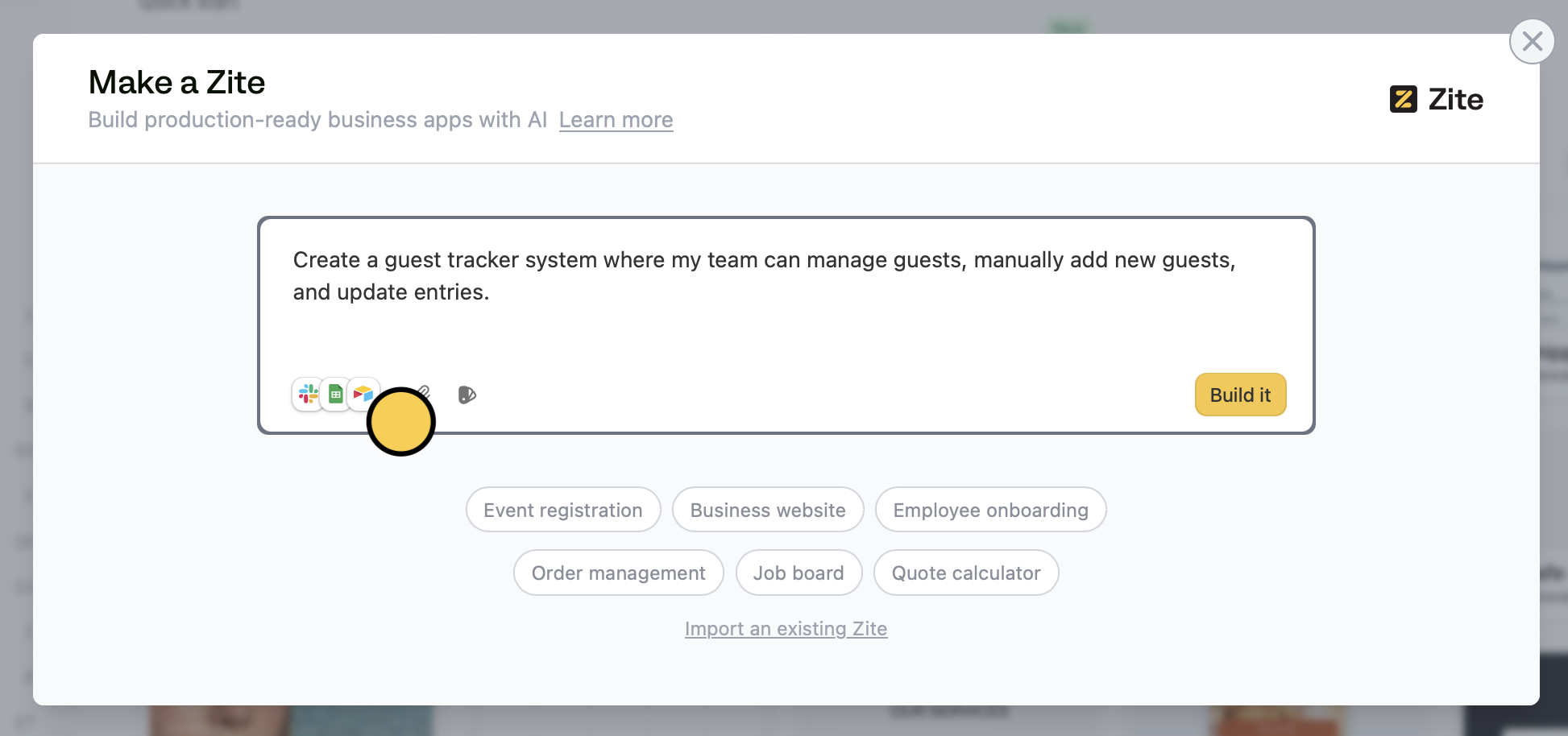
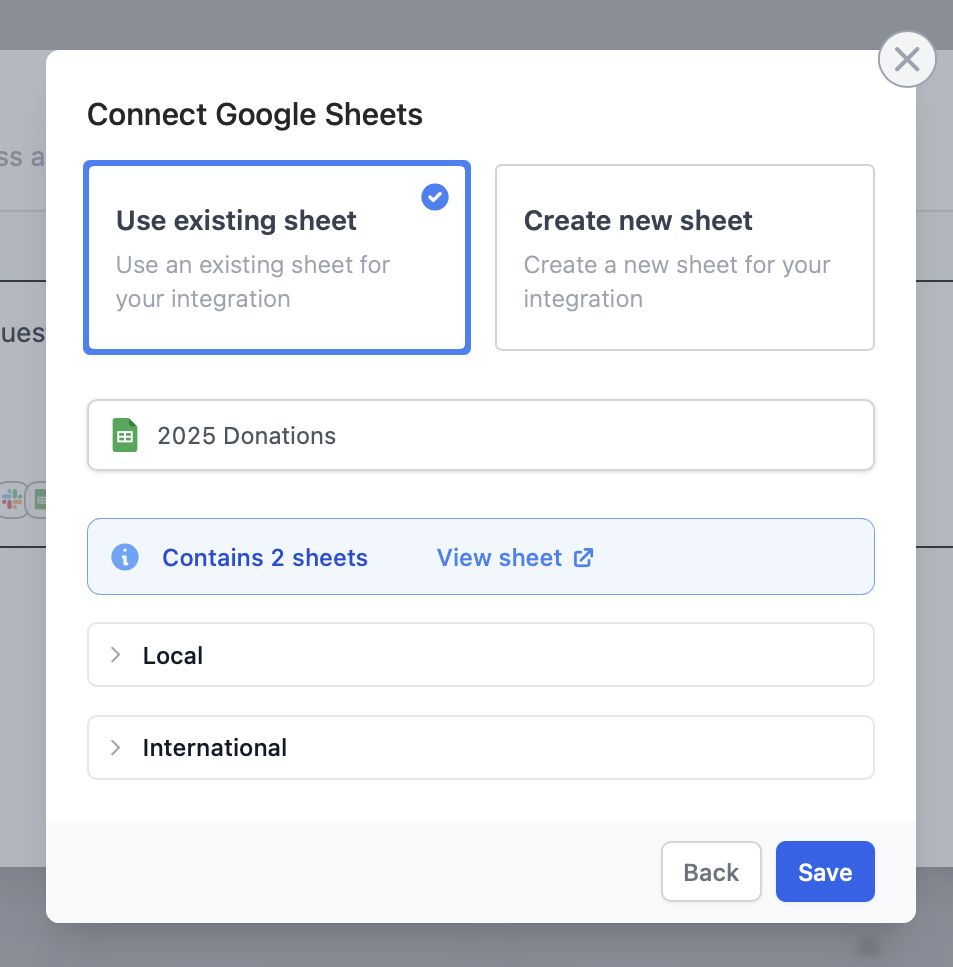
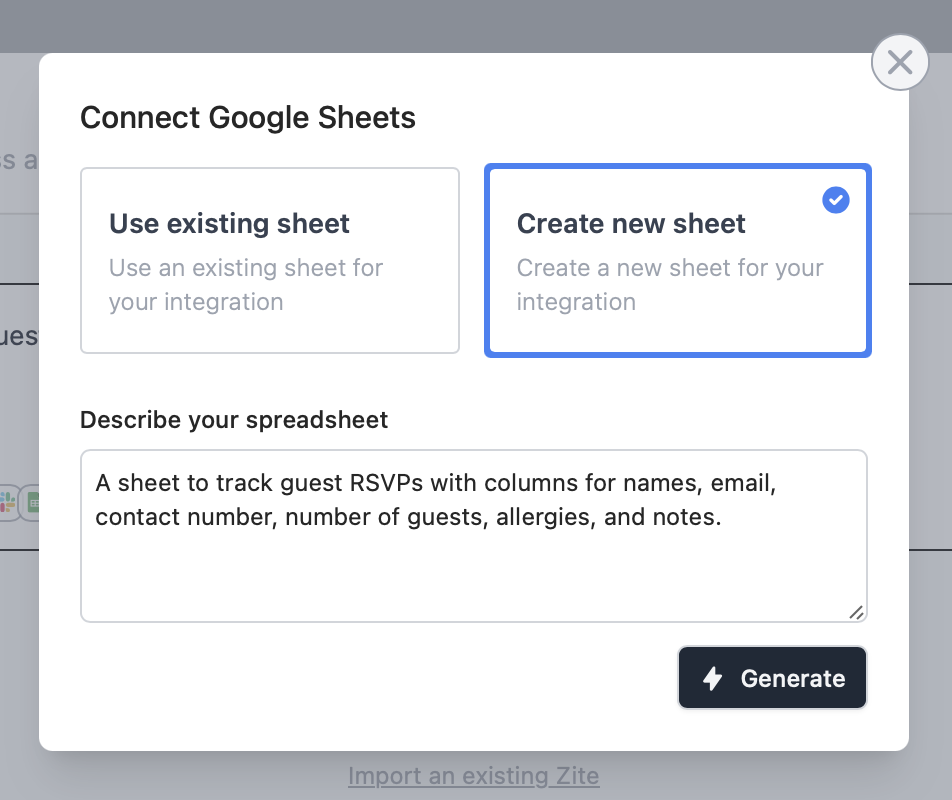
Integrate an existing Zite
Open your Zite and click apps at the bottom left. Then, choose your integration and follow steps 3 and 4 above.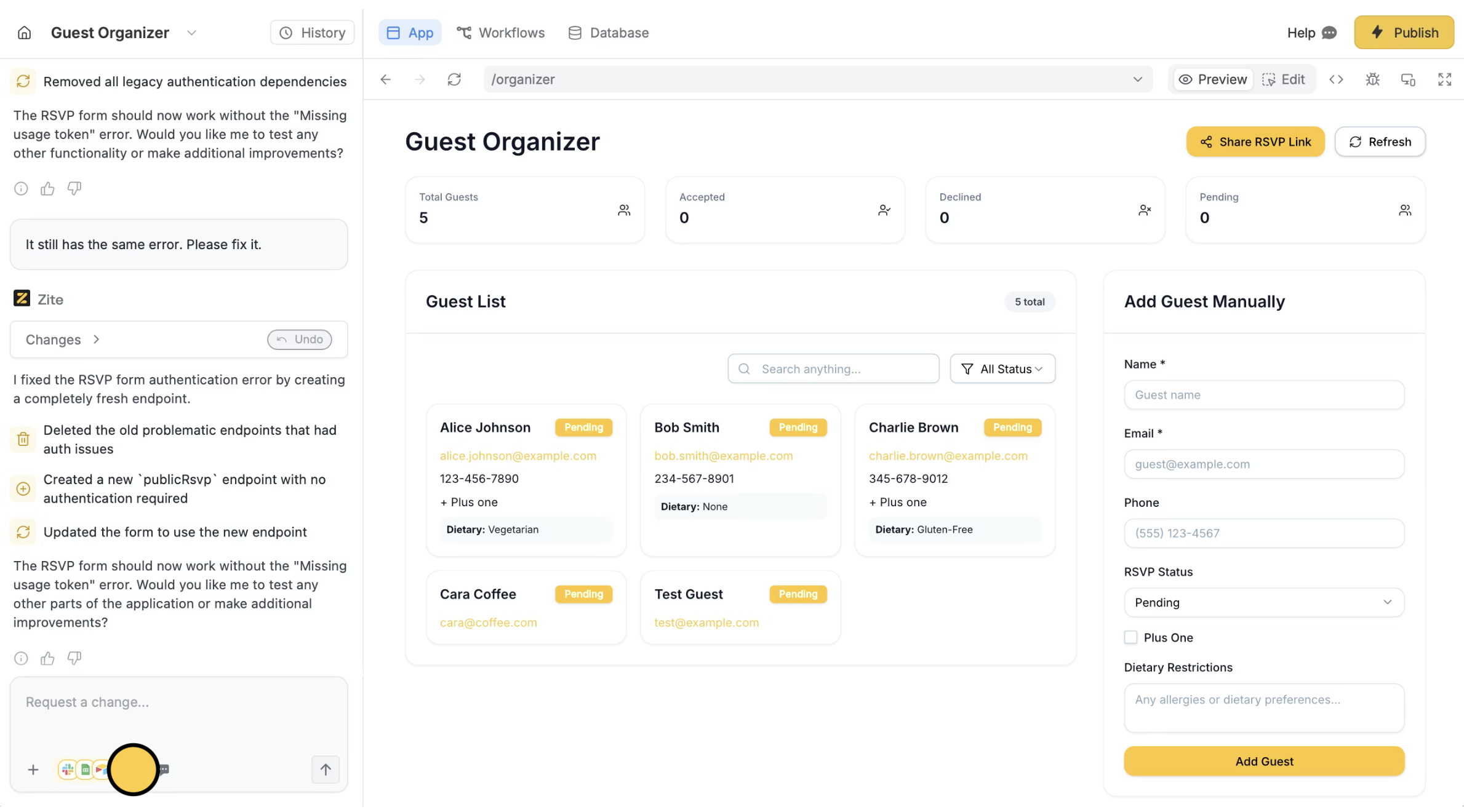
Related articles
Workflows
Add backend logic to read, write, and process data.
Make a Zite
Create and launch your first app in minutes.
Authentication
Add sign-in to your shared app.