

Overview
Zite gives you flexibility and control over your app’s design. You can style your app by using AI with a reference image, select a theme, or start with a template and edit from there. You can also make manual tweaks with selective edits and apply a brand kit.Enter a prompt
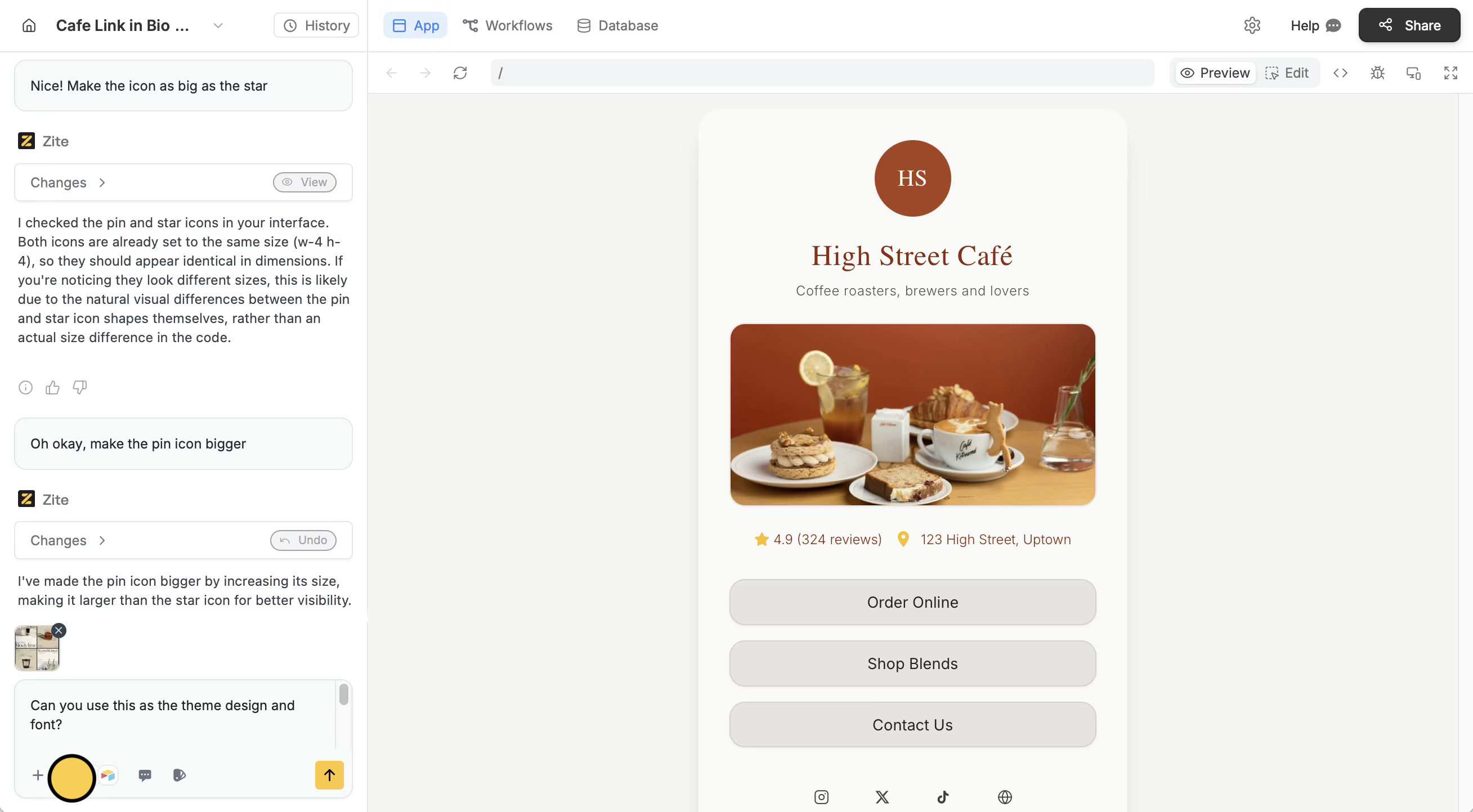
In the chat box, drag and drop an image or click + followed byUpload an attachment. In your prompt, say whether you want the full design to match the image or just certain parts like fonts or colors.
Choose a theme
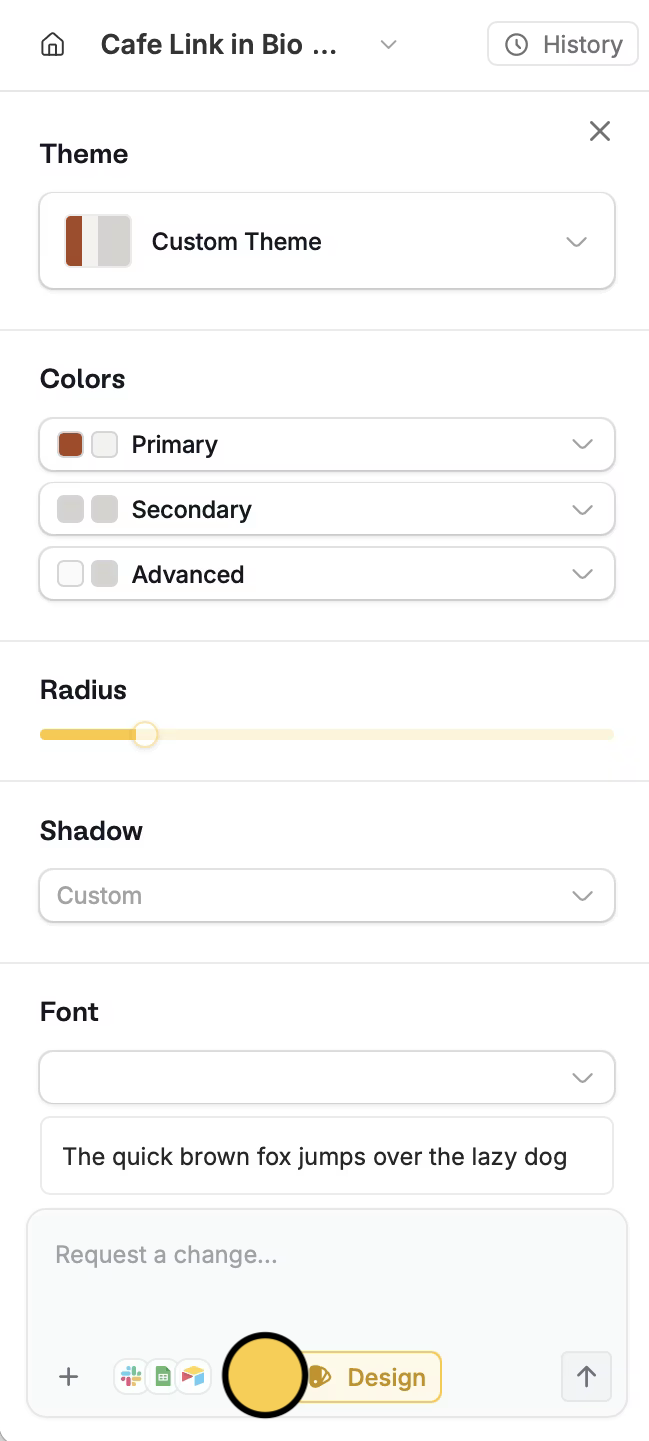
Click thepaintbrush icon on the bottom left, then choose your preferences.
Use a template
If you prefer to start with a template as a base, visit the Zite Marketplace and clone your preferred template.Related articles
Selective edits
Edit the typography, color palette, and other elements.
Customize links
Change your subdomain and domain to match your brand.
Brand kit
Use the same styling across your Zite apps.