

How it works
Add AI capabilities for text and image processing with Gemini to your app. This enables it to understand and extract data from user uploads or inputs. By connecting Gemini, you can:- Process and analyze text and images
- Generate summaries and reports from documents or research
- Classify and categorize images
- Review content for compliance and quality
- Enrich records intelligently
How to integrate Gemini into your app
Connect to Gemini
In the chat box, request your app to be integrated with Gemini or click the 
plug icon .Select a version
Choose to 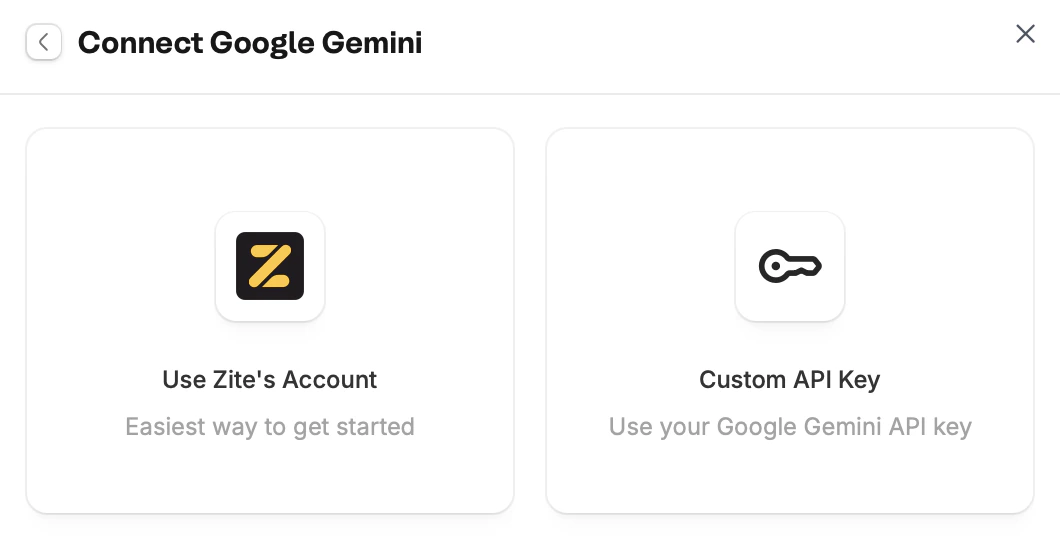
Use Zite's account or use your Custom API Key.Overage charges may apply for excessive usage. Connect your Google Gemini API key to use your own.
Enter use case
Tell Zite how you want to use Gemini in your app. For example, we’ll enable our app to extract data from uploaded receipts and log them as an expense.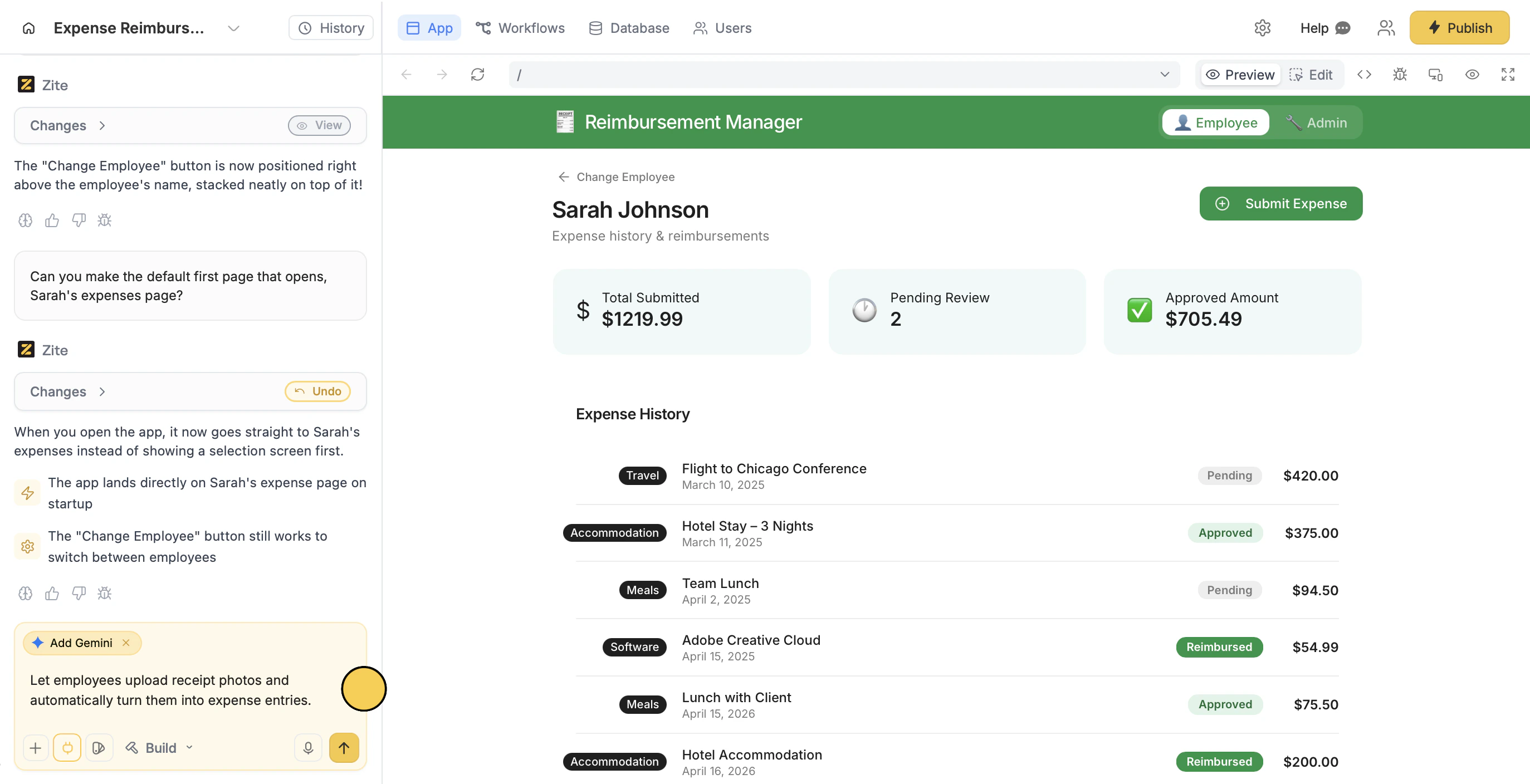
Deploy and share
Use the chat box or the respective buttons in your app to ensure everything’s working properly.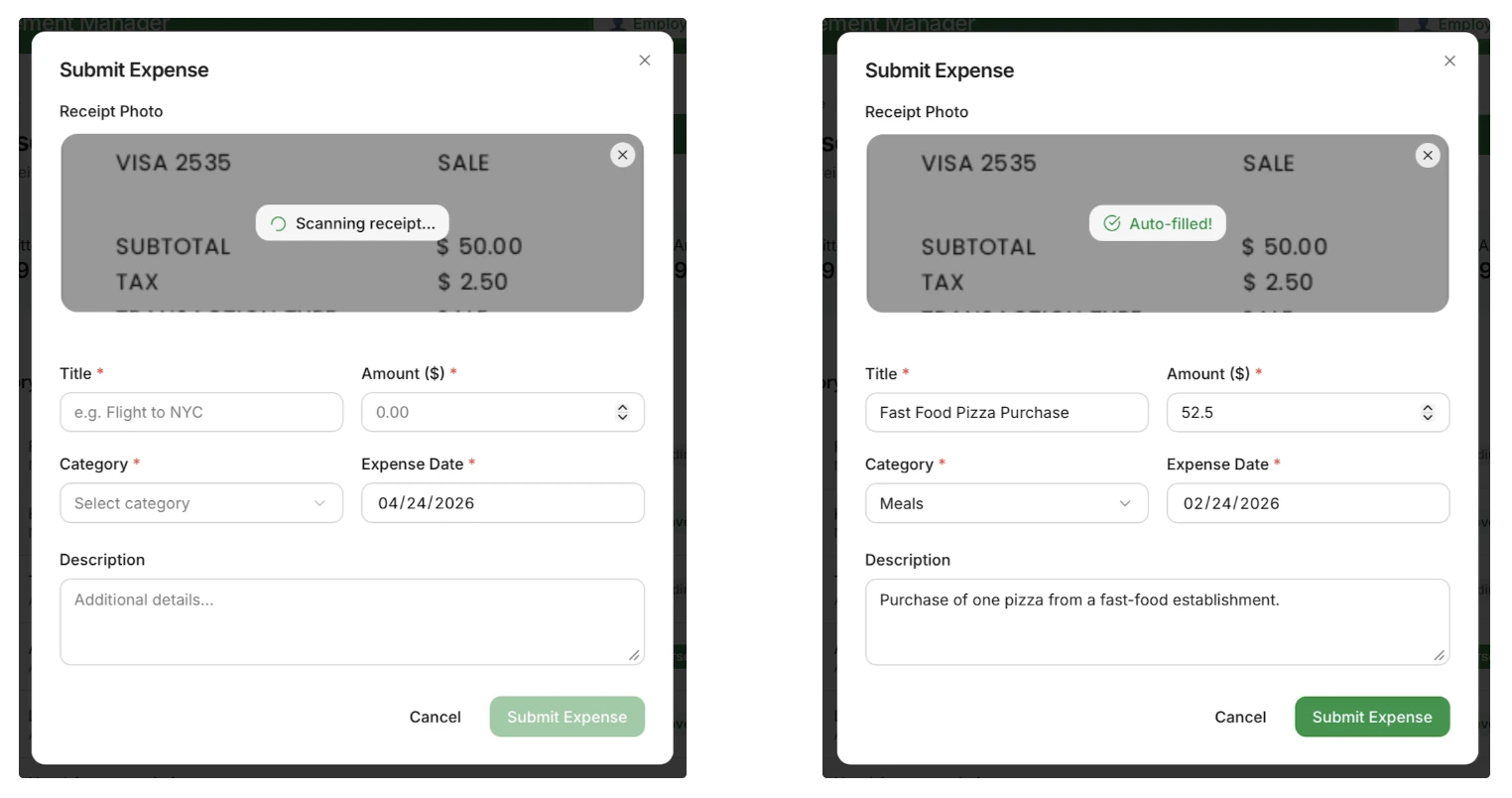
Publish in the upper right corner and share your app.Modify the theme or style specific elements your app to personalize it or match it with your brand.Common use cases
With a Gemini connection, you can create apps like:- Expense Approval Tools: Let employee submit expenses and admin approve or reject them
- Visual Data Extractors: Let users pull information from images like receipts, IDs, etc
- Document Intelligence Tools: Let users extract key data from forms and reports
- Content Review Tools: Evaluate text and image submissions for quality and compliance
- Data Enrichment Tools: Let users enhance records using extracted data from uploads