

What is Shopify?
Shopify is a leading e-commerce platform that allows businesses to easily create and manage their own online stores. With customizable templates, integrated payment options, and powerful tools for marketing and inventory management, Shopify helps entrepreneurs grow and scale their businesses globally.How to embed your form
1
Choose an embed style
Click 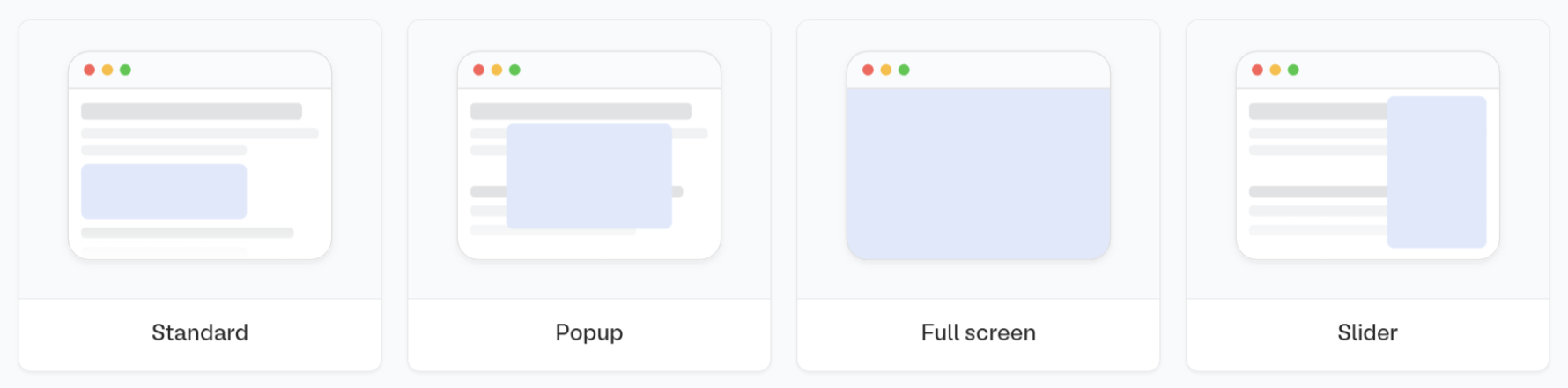
Publish in the upper right corner of the Fillout form editor. A popup will show up where you can pick an embed style.Share in the top middle or top right. Adjust your embed style settings to fit your use case. Then, Get the code.2
Paste Fillout embed code
Log in to your Shopify store and click 
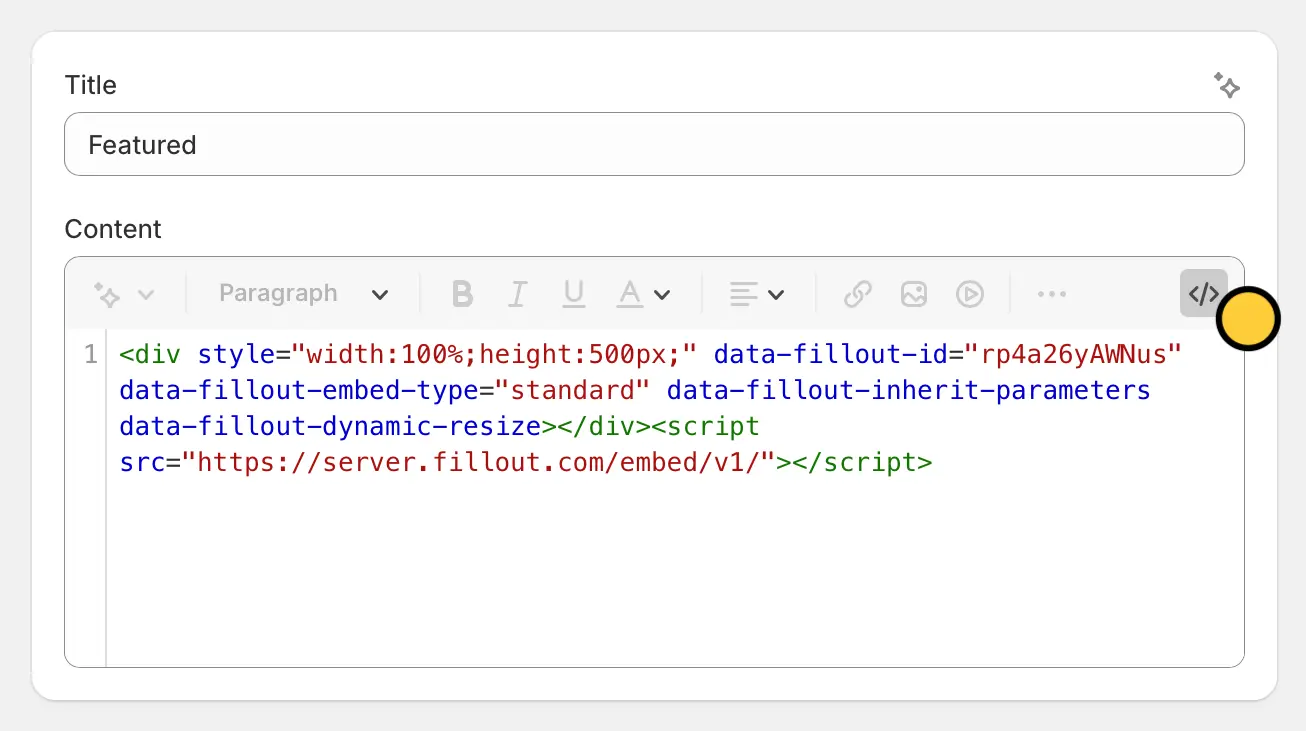
Online Store followed by Pages. Then, choose the page where you would like to insert the form.</> and paste the code in the Content field.3
Save and preview
Click 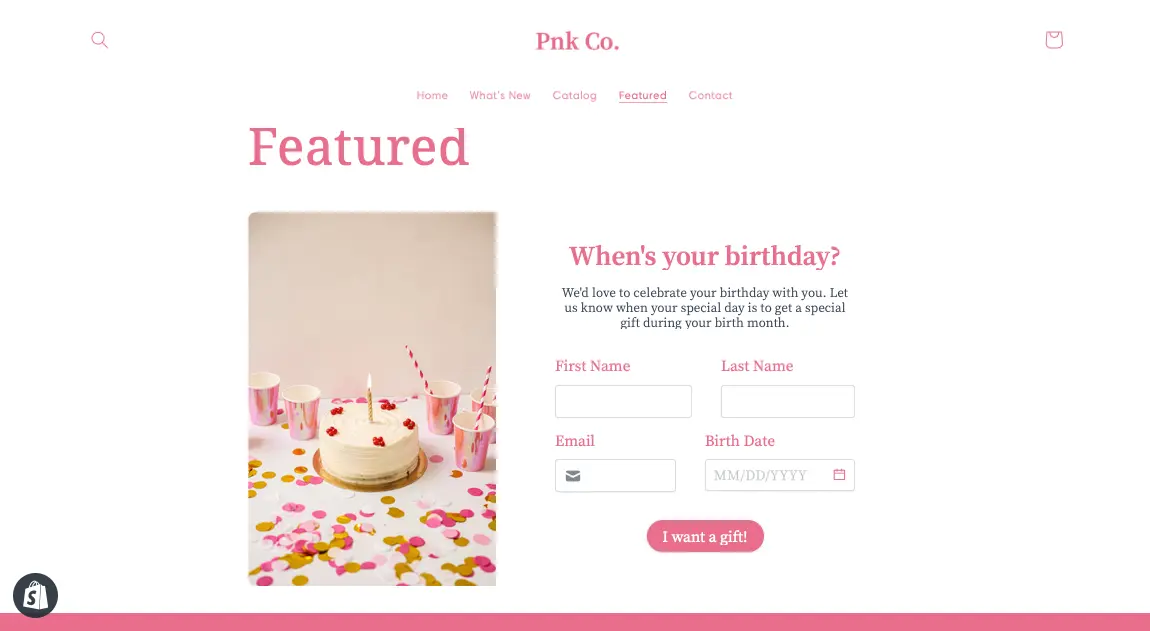
Save in the lower right corner to preview the page. That’s it! Now, you’ll be able to see responses under the Results tab of your Fillout form.Resizing your embed
Certain fields require a 600px minimum height to display properly. If your form includes any of the fields below, the embed cannot be resized below 600px.- Date, Date-Time, or Date Range Picker
- Color Picker
- Visible Captcha (V2)
- Submission Picker
- Record Picker
- Address
- Signature
- Subform
Add a form to all pages
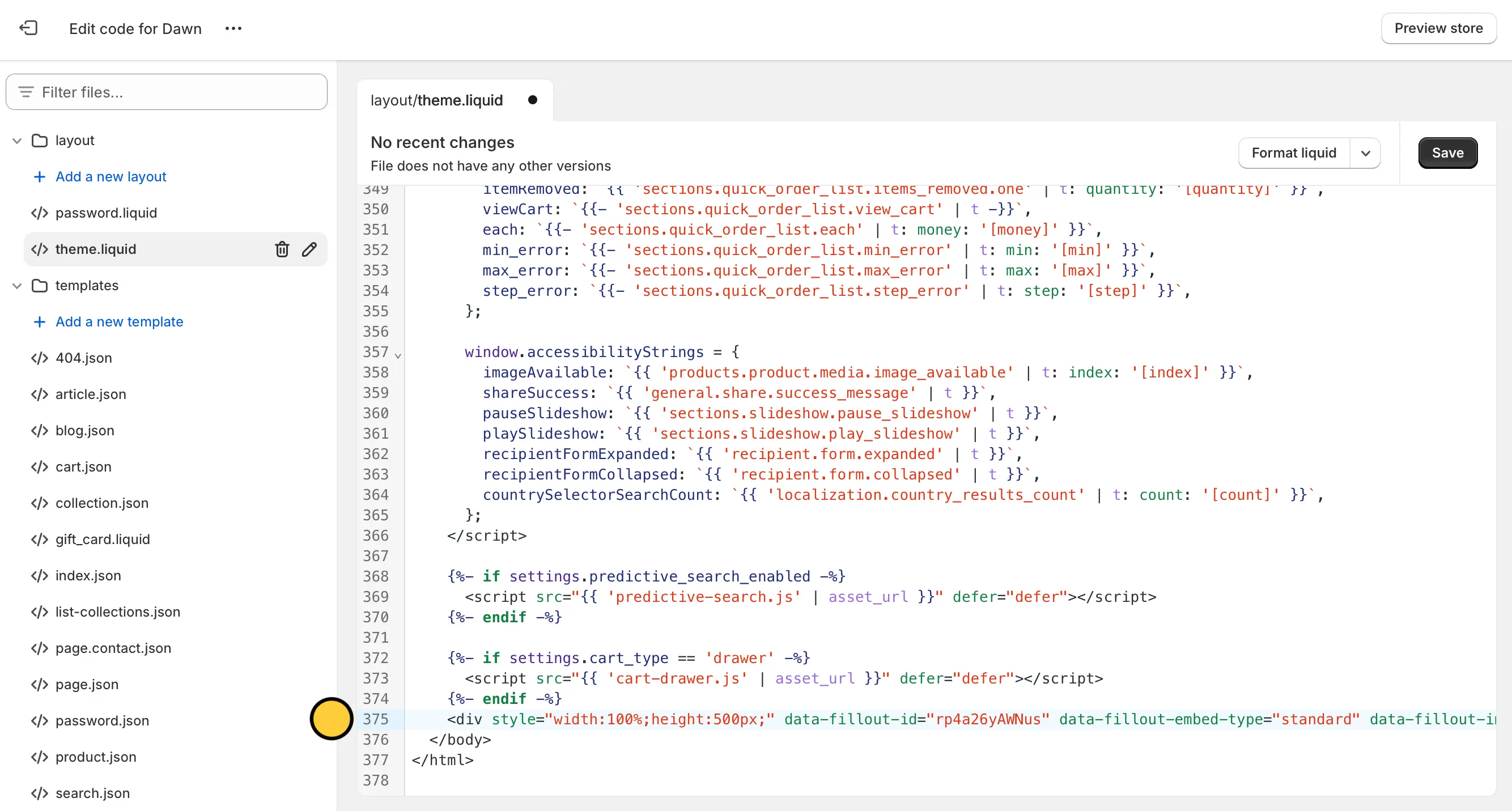
SelectThemes in the left menu under Online Store. Then, click ... and select Edit code.
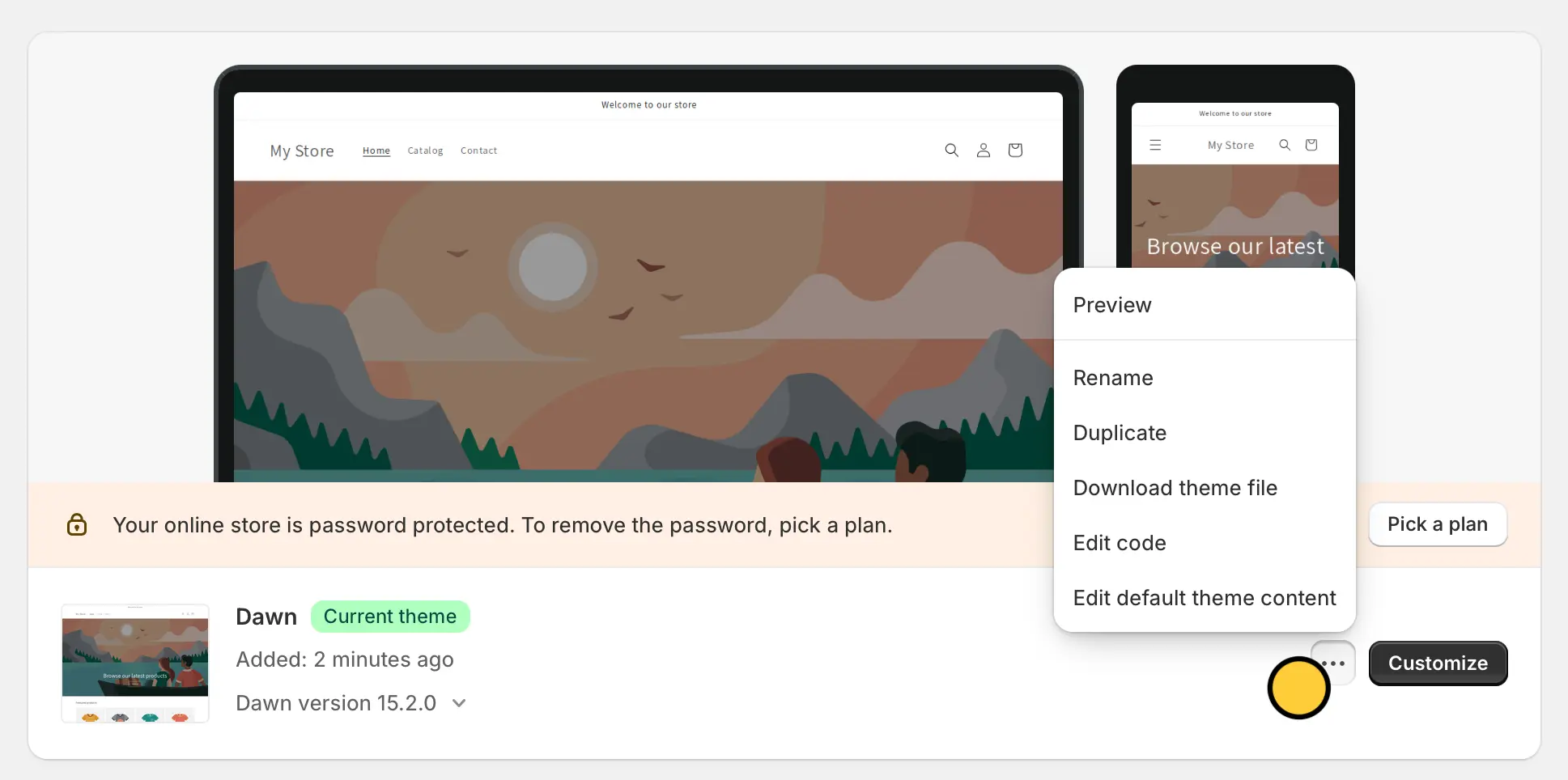
</> theme.liquid from the left-hand panel and paste the embed code of your Fillout form at the top of </body> and </html> tags at the bottom. Then, click Save in the top right.
Related article
Share & embed
Share your form by link or embed it on your website.