

Overview
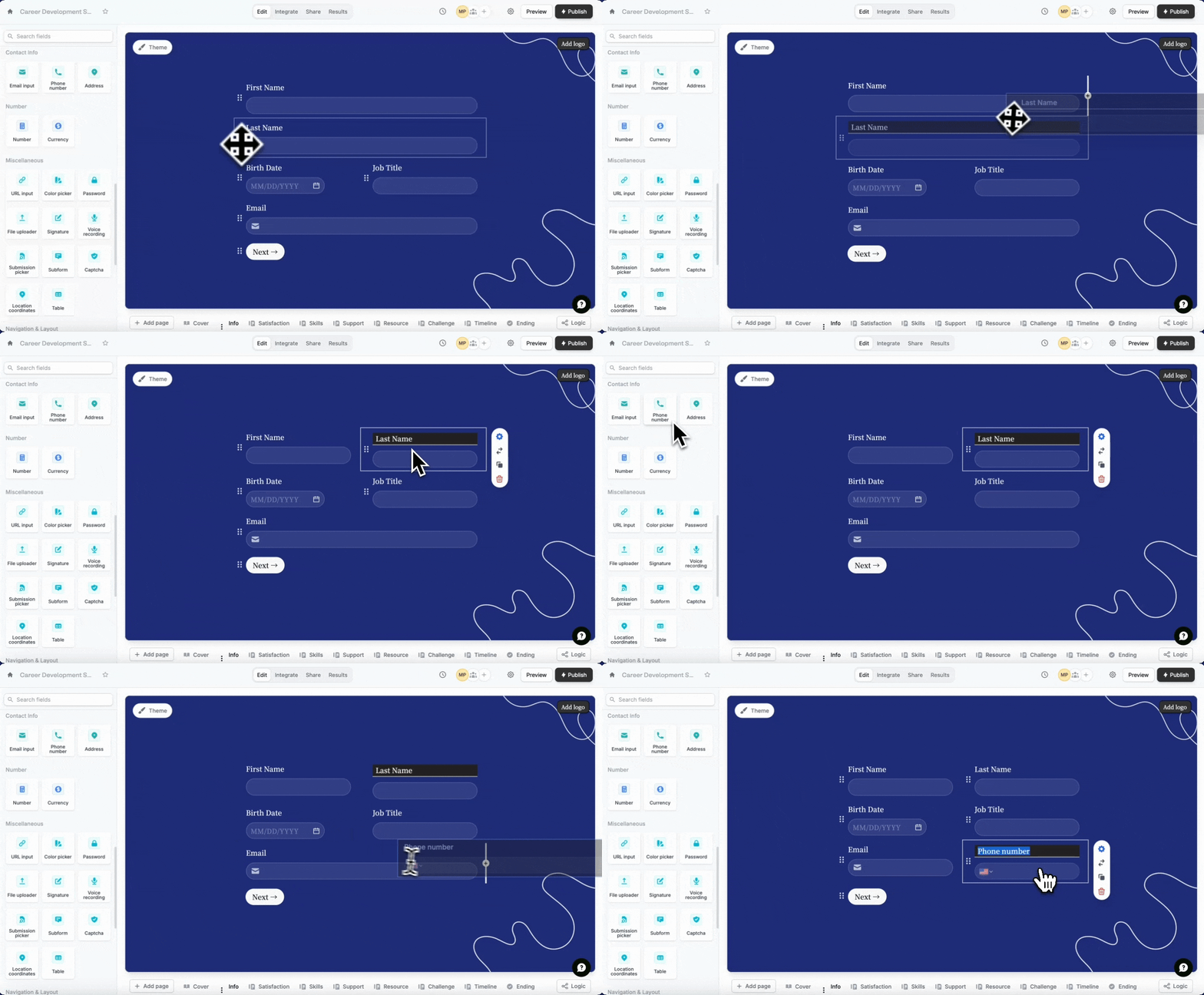
Multi-column forms can be a great way to save space and make your form look more organized. Instead of having all your questions listed in a long, single column, you can split them up into multiple columns. This is especially useful if you have a lot of questions or a limited amount of space on your form.How to add another column
Drag a question to the right of another question. You can also reorder them with drag and drop.
Some question types are not supported by multi-column layouts yet, such as Address, PDF viewer, Section collapse, Video, Button, Date time picker, Picture choice, Calendly and Payment. Contact support@fillout.com if you have a use case that requires one of these to be side by side.
Half width option in the right panel to shorten the input box. Click the field’s settings icon .

Add three columns or more
You can choose theTable field in the left-hand panel to add a third, fourth, and additional columns. More info here.
Related articles
Page layout
Edit the position of your form’s fields and background image.
Add a table
Let respondents enter data in a spreadsheet-like format.
Add headings
Improve your form’s structure and user experience.