

What is a custom domain?
A custom domain is a unique web address to replace your web form’s default URL, enhancing brand visibility and trust. It adds professionalism, improves SEO, and ensures a seamless user experience.This feature is available on the Fillout Business plan and above, with one custom domain for forms per account. You can use a subdomain of a domain you own, like
forms.yourcompany.com, or the root domain itself, like yourcompany.com. For more details on pricing, click here.Video tutorial
How to add a custom domain
1
Open account settings
On the Fillout dashboard, click your 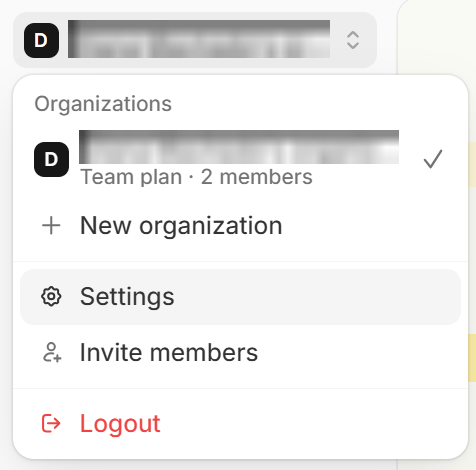
organization name in the upper left corner followed by Settings.2
Add domain
Navigate to 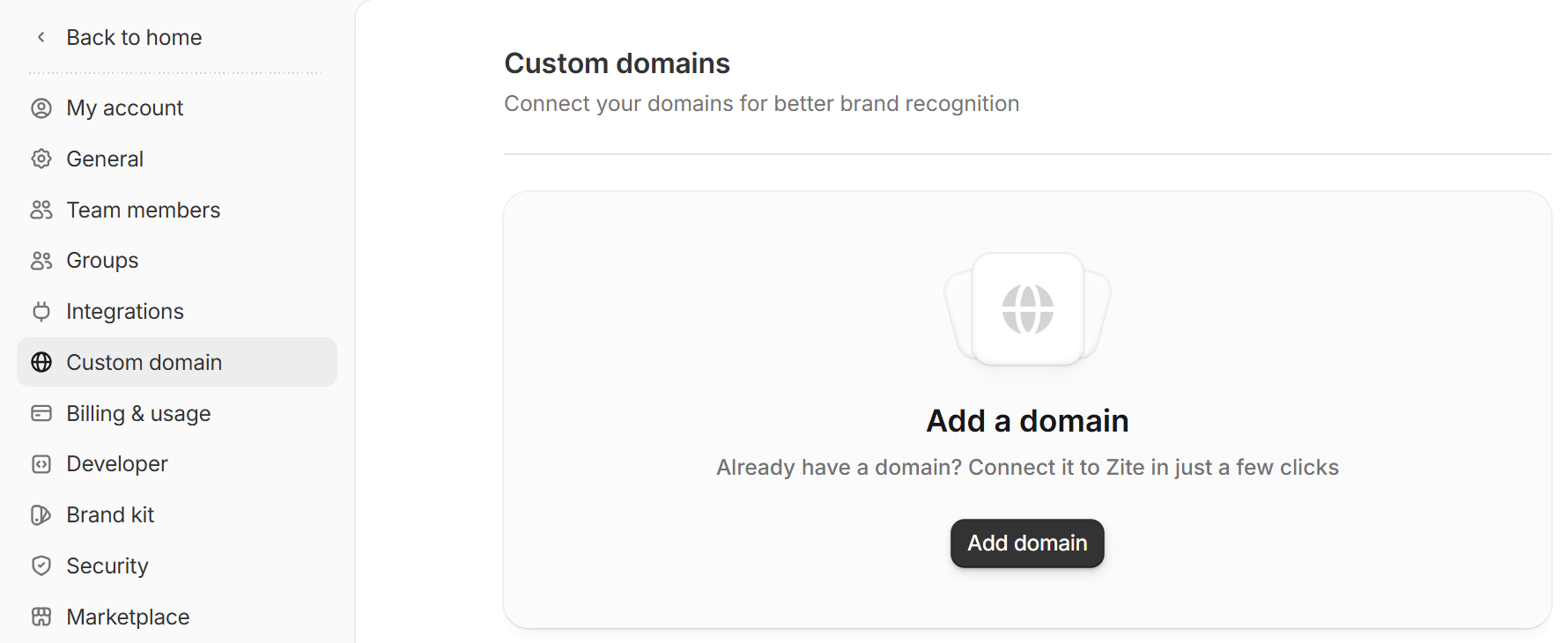
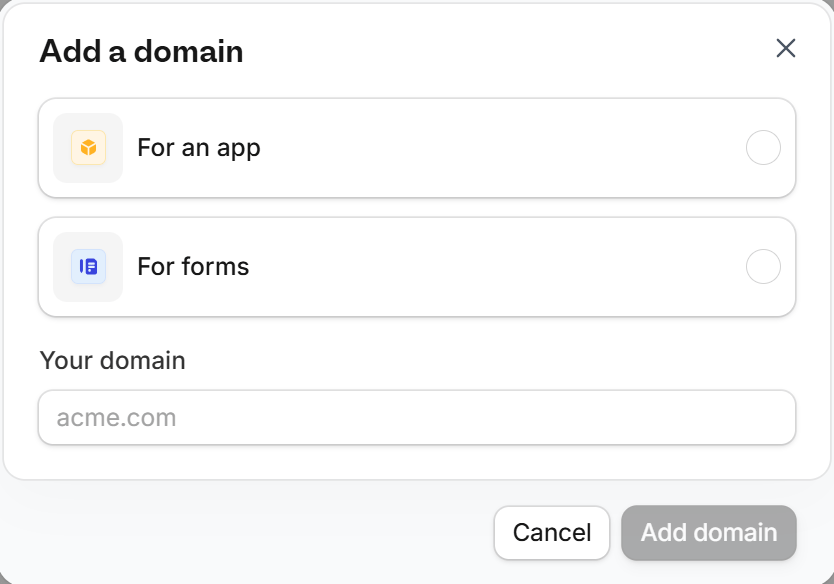
Custom domain and click Add domain. If you already have a custom domain, click Add instead.For forms and enter a domain you own. It can be a subdomain, like forms.yourcompany.com, or a root domain, like yourcompany.com. Any domain ending works, like forms.yourcompany.com.au or forms.yourcompany.co.uk. Then, click Add domain.3
Set up DNS records
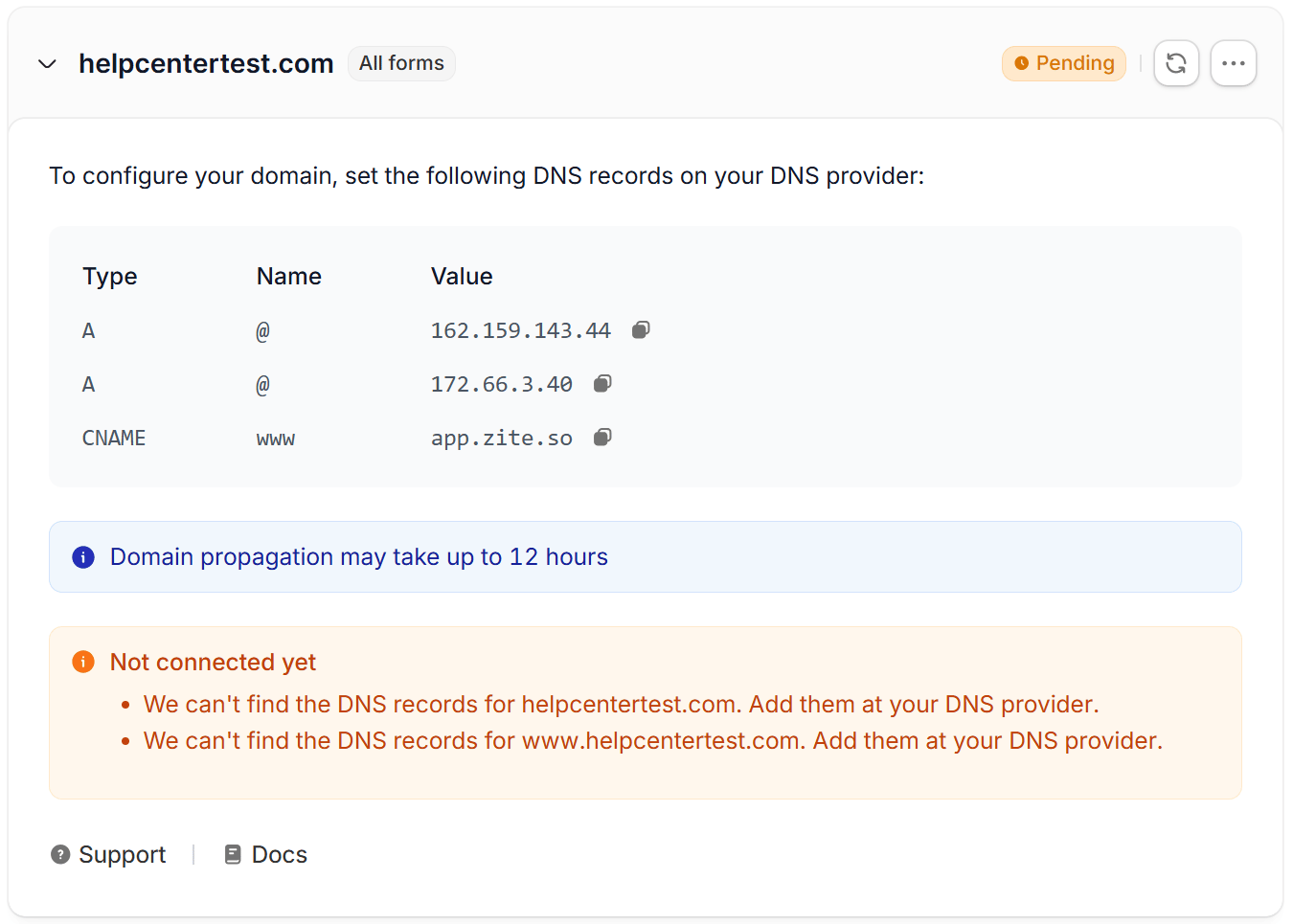
Your new domain shows the DNS records to add. Copy them exactly as they appear in Fillout, since older instructions may list different values.For a subdomain, like 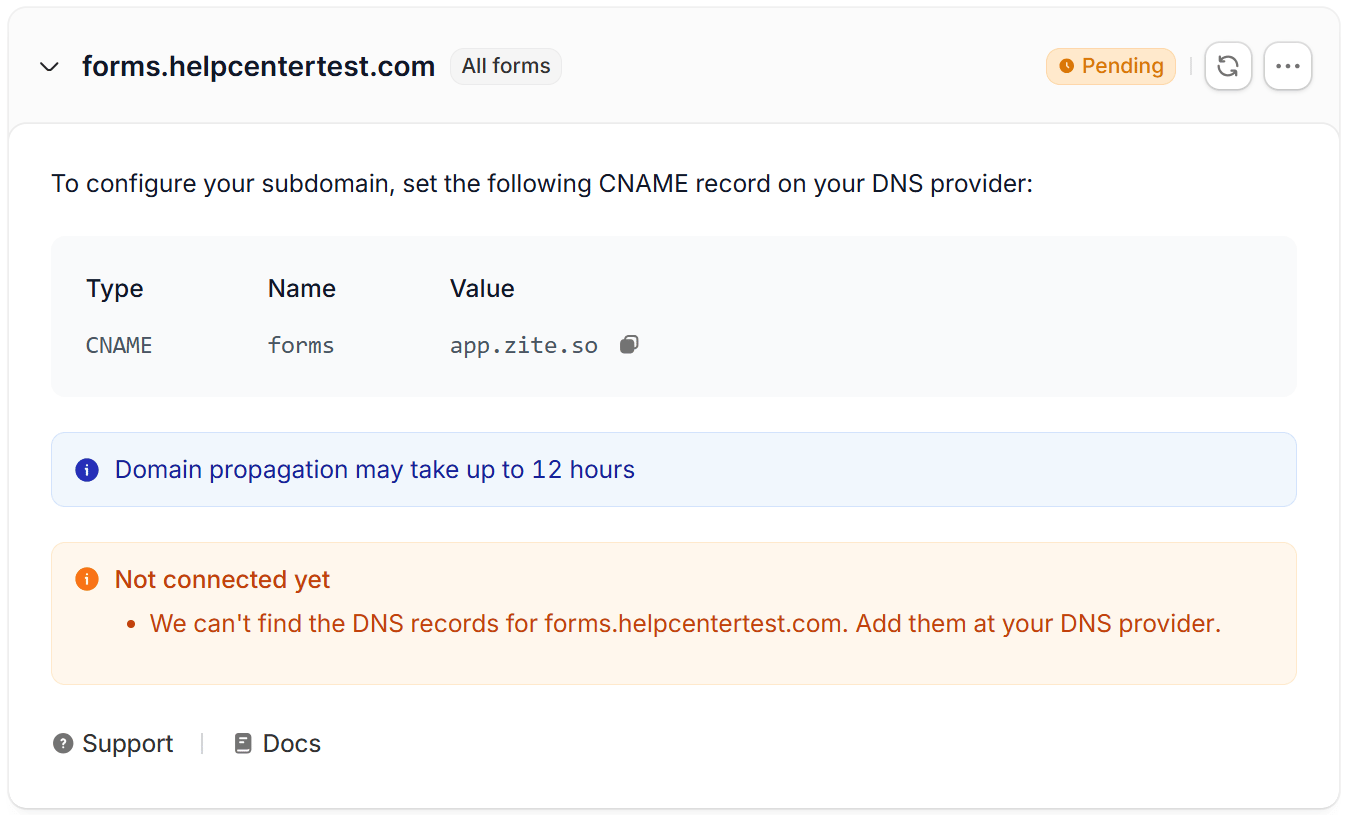
How to add the DNS records:
- Log in to your domain provider.
- Add the records shown in Fillout. A subdomain needs one CNAME record. A root domain needs two A records and a CNAME record for
www. - Wait until the DNS records are verified (this can take anywhere from a few seconds to 12 hours). After you add a domain, Fillout checks it again every few seconds for ten minutes. To check again later, click the
refresh iconnext to the domain.
forms.yourcompany.com:yourcompany.com:- We can’t find the DNS records for… - the records aren’t there yet. Add them with your domain provider, or wait for the change to take effect.
- … still points somewhere else - an older record is still on the domain. Delete it with your domain provider.
- The SSL certificate for… is still being issued - this usually clears on its own within a few minutes.
Domains you connected before October 23, 2026 keep working with the records you already set up. You don’t need to change anything.
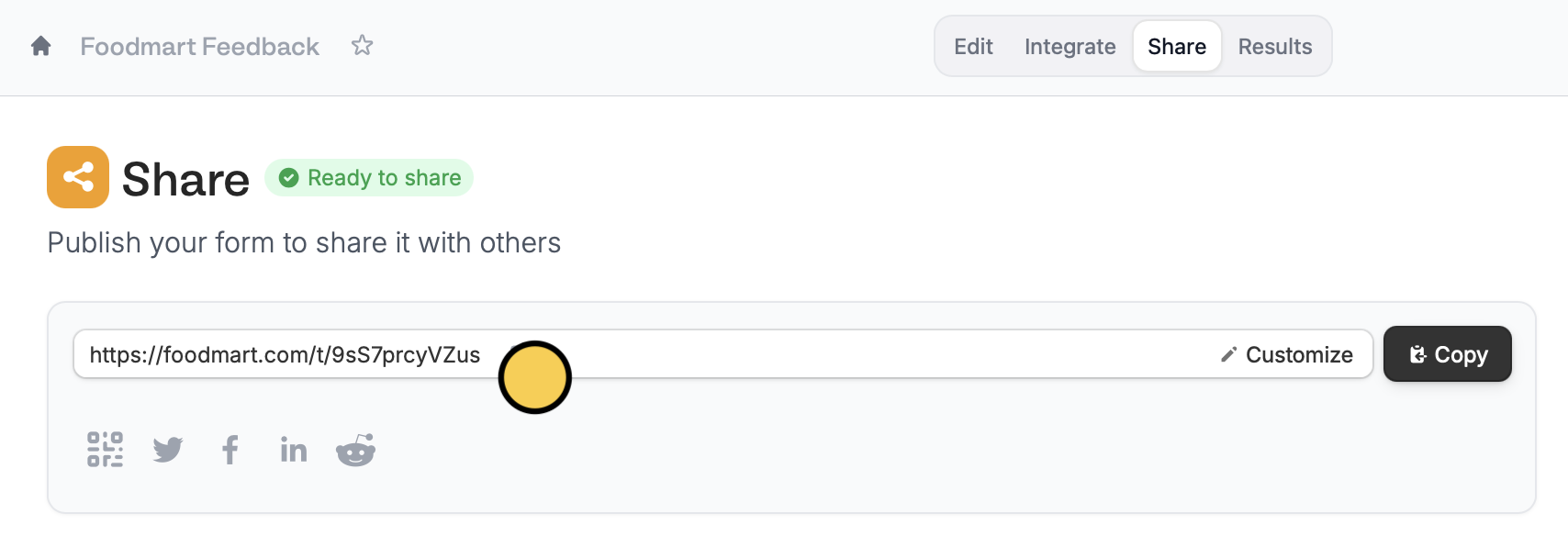
Share page.Customize the link ending
You can also change the slug. Check out this quick guide.Custom domain vs. custom subdomain
A custom subdomain changes the first part of your form link while staying on Fillout’s domain. For example,foodmart.fillout.com instead of the default forms.fillout.com (or form.fillout.com for some accounts). Custom subdomains always end in fillout.com, don’t require any DNS setup, and are available on all plans. Learn how to set one up here.
A custom domain uses a domain you own, either a subdomain like forms.foodmart.com or the root domain itself, like foodmart.com. This lets you share forms under your own brand instead of “fillout.com”, creating a more consistent experience for respondents. Custom domains require DNS records with your domain provider and are available on the Fillout Business plan and above.
A subdomain of your own domain, like
forms.foodmart.com, is a custom domain, not a custom subdomain. If the link doesn’t end in fillout.com, it’s a custom domain.Troubleshooting
My form link opens my website instead of the form
My form link opens my website instead of the form
The domain’s DNS records still point to your website. A domain can only show one thing, so if your website uses
foodmart.com or www.foodmart.com, connect a subdomain that isn’t serving other content instead, like forms.foodmart.com. Then, add the record Fillout shows for it.My custom domain is stuck on Pending
My custom domain is stuck on Pending
Open the domain in Fillout to see what’s missing under Not connected yet. Check that the records in your domain provider exactly match the ones shown in Fillout, and delete any older records on the same domain, like a CNAME pointing to
domains2.fillout.com or an A record pointing to your website. DNS changes can take up to 12 hours to apply. Click the refresh icon next to the domain to check again.Also make sure the domain you entered in Fillout matches the record’s name. For example, if the name is forms, the domain in Fillout should be forms.foodmart.com. For a root domain, the name is @.How do I change my custom domain?
How do I change my custom domain?
- Remove the current custom domain in your Fillout account settings.
- Delete the DNS records for the old domain with your domain provider.
- Add the new custom domain in Fillout.
- Add the new DNS records exactly as Fillout shows them.
Will login and verification codes be sent from my custom domain?
Will login and verification codes be sent from my custom domain?
No. A custom domain changes your form links, not the sender of these emails. Login codes and verification codes are still sent from
notifications@fillout.com.Do I need to buy an SSL certificate?
Do I need to buy an SSL certificate?
No. Fillout automatically provides an SSL certificate for your custom domain at no extra cost.
How many custom domains can I connect?
How many custom domains can I connect?
You can connect one custom domain for forms per account. All your forms will use this domain. Additional custom domains for forms aren’t supported on any plan.
Can I use the same domain for my website, Fillout forms, and Zite apps?
Can I use the same domain for my website, Fillout forms, and Zite apps?
Yes, but each needs its own domain or subdomain. For example:
www.foodmart.comfor your main websiteforms.foodmart.comfor your Fillout formsapp.foodmart.comfor your Zite app
What happens if I remove my custom domain?
What happens if I remove my custom domain?
Your forms go back to using your Fillout link. Your default form link (
forms.fillout.com or form.fillout.com) always works, whether or not you’ve added a custom domain or custom subdomain, so removing your custom domain doesn’t affect it.Related articles
Custom form links
Customize your form’s share link, subdomain and URL ending.
Custom favicon
Add your logo or icon to a browser tab and in link previews.
Remove Fillout branding
Remove Fillout buttons on form pages.