> ## Documentation Index
> Fetch the complete documentation index at: https://fillout.com/help/llms.txt
> Use this file to discover all available pages before exploring further.
# Add a rating scale on your form
> Allow respondents to score how good or bad a product, service, or other attribute is.
export const SupportBanner = () => {
const titleId = React.useId();
return ;
};
## How to add the rating field
Look for the **Rating & Ranking** section on the left hand-panel. Choose between three rating field types, `Star rating`, `Slider`, and `Opinion Scale`.
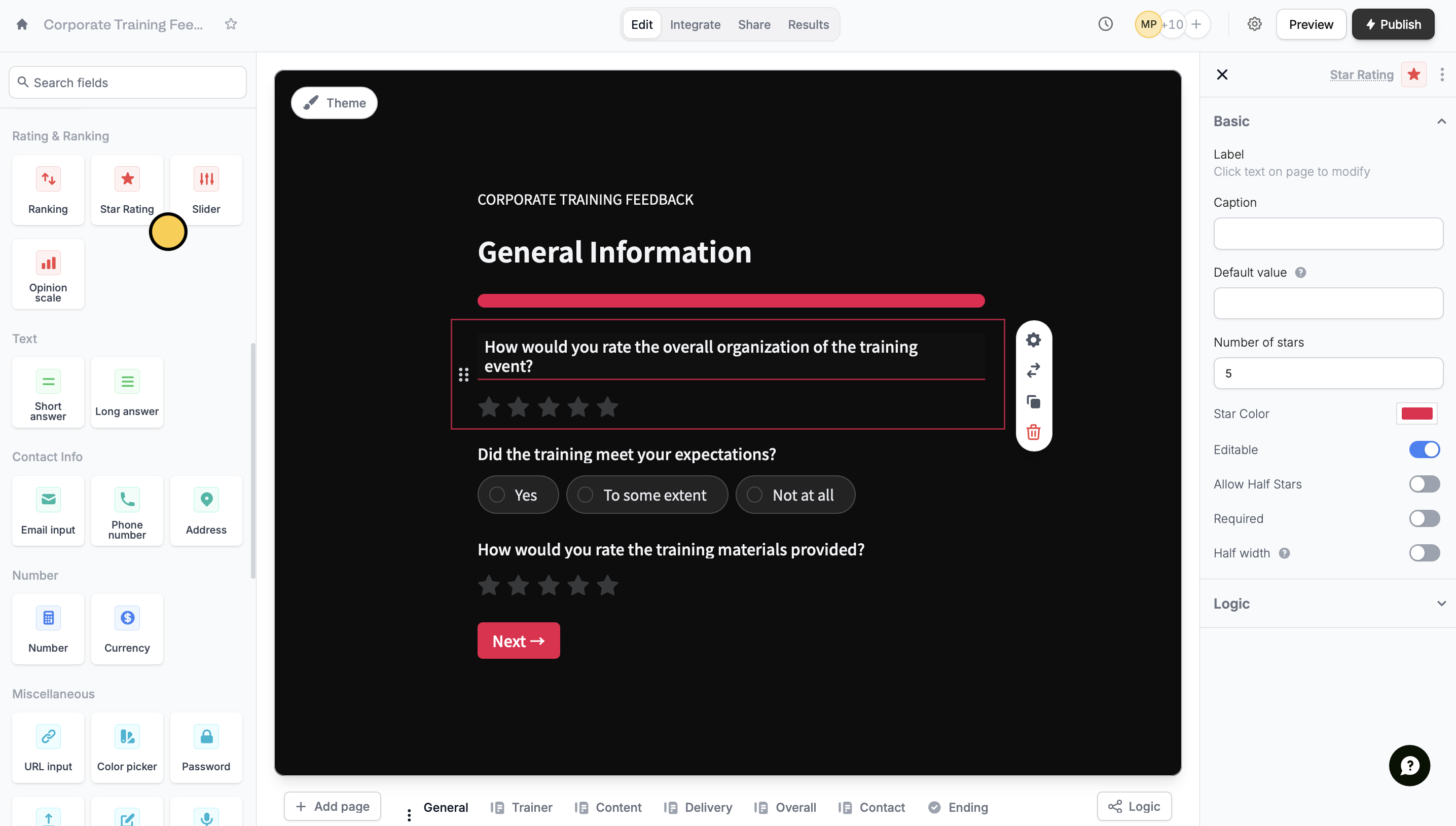 Click on the question or statement followed by its to customize it in the right-hand panel.
If you decide to use a different type of rating field, you can quickly change it by clicking on under .
## Rating vs. ranking
Although similar, rating and ranking accomplish different goals. **Rating** questions are used to compare different options using a numeric scale. For example, asking product users how effective a vitamin C serum is in fading dark spots. Conversely, [ranking](/help/ranking) questions are used to determine how strongly or weakly a respondent feels with items on a list. For example, asking respondents to rank their most and least favorite movie genre.
## Related articles
Ask respondents to compare options by ordering them.
Attach full copies of PDFs in your survey or form.
Click on the question or statement followed by its to customize it in the right-hand panel.
If you decide to use a different type of rating field, you can quickly change it by clicking on under .
## Rating vs. ranking
Although similar, rating and ranking accomplish different goals. **Rating** questions are used to compare different options using a numeric scale. For example, asking product users how effective a vitamin C serum is in fading dark spots. Conversely, [ranking](/help/ranking) questions are used to determine how strongly or weakly a respondent feels with items on a list. For example, asking respondents to rank their most and least favorite movie genre.
## Related articles
Ask respondents to compare options by ordering them.
Attach full copies of PDFs in your survey or form.