> ## Documentation Index
> Fetch the complete documentation index at: https://fillout.com/help/llms.txt
> Use this file to discover all available pages before exploring further.

# Pricing discounts

> Fillout offers discounts to non-profits, students and educational institutions. Apply for a discount and learn how you can redeem a promotional code.

export const SupportBanner = () => {
  const titleId = React.useId();
  return <div className="support-banner" role="region" aria-labelledby={titleId}>
      <span className="support-banner__ring support-banner__ring--outer" aria-hidden="true" />
      <span className="support-banner__ring support-banner__ring--middle" aria-hidden="true" />
      <span className="support-banner__ring support-banner__ring--inner" aria-hidden="true" />
      <span className="support-banner__ring support-banner__ring--center" aria-hidden="true" />

      <div className="support-banner__content">
        <div className="support-banner__title" id={titleId} role="heading" aria-level="2">Still have questions?</div>

        <div className="support-banner__copy">
          <span className="support-banner__line">Our team is happy to help. Start a live chat using the</span>
          <span className="support-banner__line">
            chat bubble <span className="support-banner__chat-icon" aria-hidden="true" /> in the bottom right, or email us at
          </span>
          <span className="support-banner__line">
            <a href="mailto:support@fillout.com">support{'@'}fillout.com</a>
          </span>
        </div>

        <a className="support-banner__cta" href="mailto:support@fillout.com">Contact us</a>
      </div>
    </div>;
};

## Apply for a discount

If you think you qualify for a discount, please submit [this form](https://fill.fillout.com/discount-program) and our team will get back to you within 48 hours. If you have any questions, feel free to reach out to [support@fillout.com](mailto:support@fillout.com).

## Redeem a discount code

Click your `Account name` in the upper left corner, and head to `Settings`. Click `Billing` on the left side followed by `Change plan`.
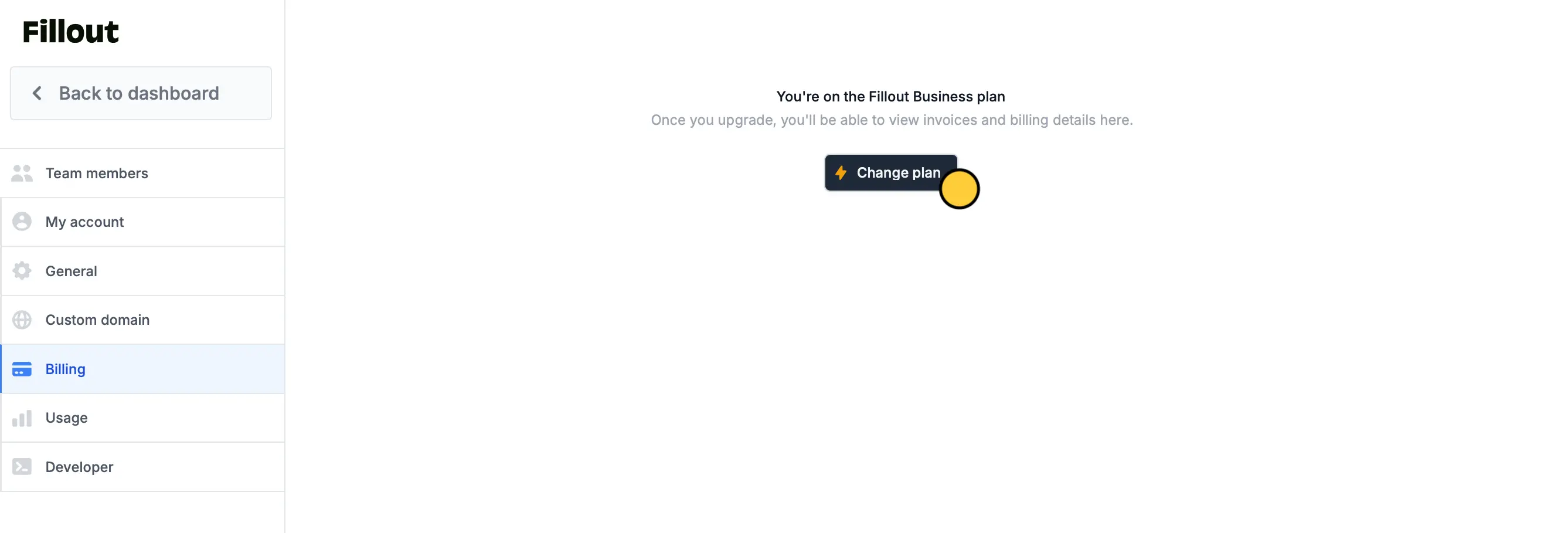
<img src="https://mintcdn.com/fillout-005a867b/wLNVsGbjoddvqJO1/images/account/image-5.png?fit=max&auto=format&n=wLNVsGbjoddvqJO1&q=85&s=33a3e332467970204fd925f9c529f785" alt="Redeem a discount code" width="2675" height="909" data-path="images/account/image-5.png" />

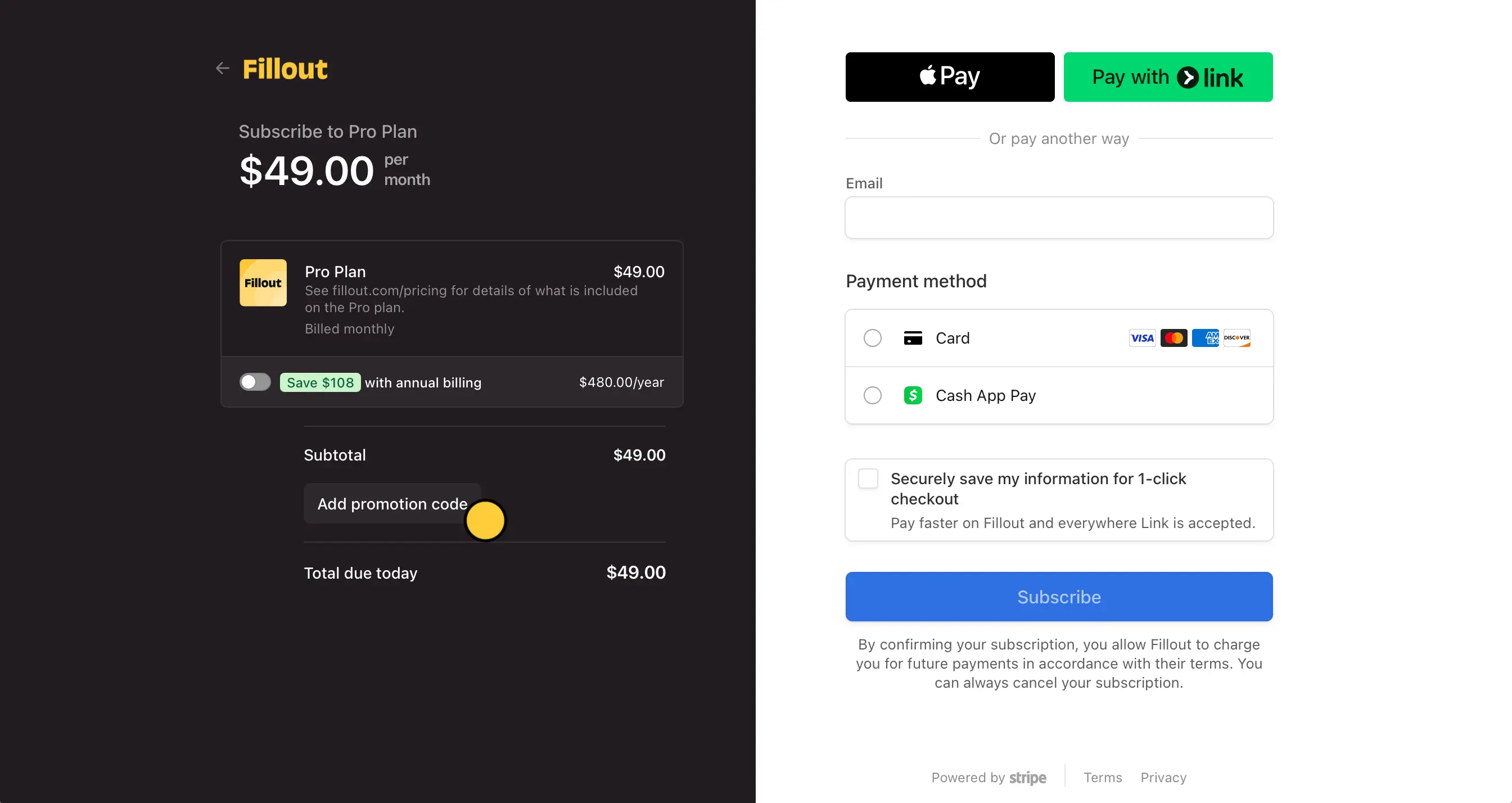
Select a plan you’re interested in. This will open the secure Stripe checkout portal.

`Add promotion code`. You’ll see the price be adjusted accordingly. Then, enter your payment details to checkout.
<img src="https://mintcdn.com/fillout-005a867b/wLNVsGbjoddvqJO1/images/account/image-6.png?fit=max&auto=format&n=wLNVsGbjoddvqJO1&q=85&s=9dc559b4a73b3863fa5c8559f67ace33" alt="Redeem a discount code" width="2689" height="1428" data-path="images/account/image-6.png" />

<SupportBanner />
