> ## Documentation Index
> Fetch the complete documentation index at: https://fillout.com/help/llms.txt
> Use this file to discover all available pages before exploring further.
# Make new companies and deals in a HubSpot form
> Add new company records and set up your deals pipeline in HubSpot through Fillout forms.
## How to add a company
After [connecting your Fillout form to HubSpot](/hubspot), `+ Add new` under **Create company**. Choose a **Company property** from the left and reference it to the relevant Fillout form field on the right.
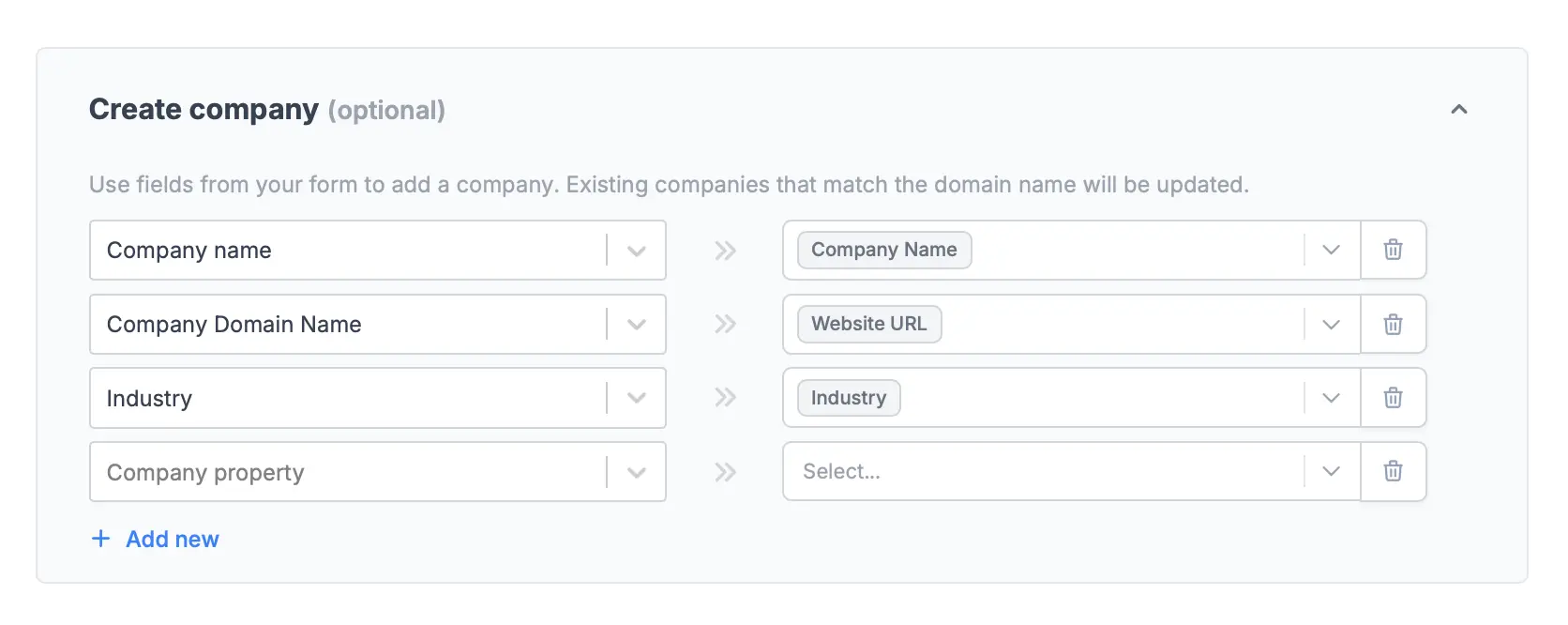 You can map URL or Email fields to the **Company Domain** property, and it will extract the domain name. For example, [alfie@sola.com](mailto:alfie@sola.com) will be recorded as [sola.com](http://sola.com) in HubSpot.
Click `Finish setup` in the upper right corner once everything is good, and `Publish` your form.
## How to create a deal
Simply select a **Sales pipeline** and **Deal stage**. You can also `+ Add new` **Deal properties** if you prefer to.
You can map URL or Email fields to the **Company Domain** property, and it will extract the domain name. For example, [alfie@sola.com](mailto:alfie@sola.com) will be recorded as [sola.com](http://sola.com) in HubSpot.
Click `Finish setup` in the upper right corner once everything is good, and `Publish` your form.
## How to create a deal
Simply select a **Sales pipeline** and **Deal stage**. You can also `+ Add new` **Deal properties** if you prefer to.
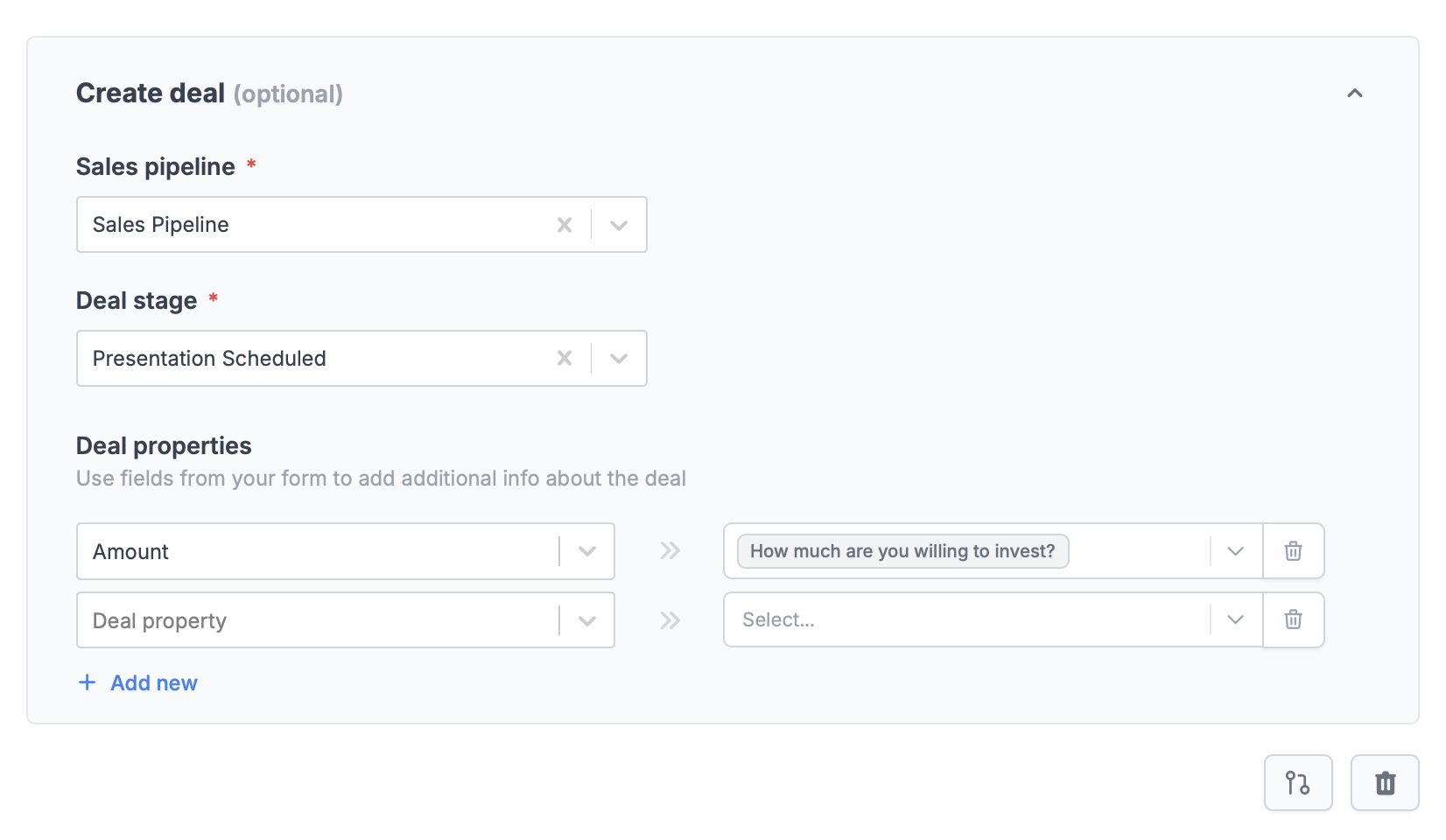 Click `Finish setup` when you're done. Remember to `Publish` your form once you've made the new changes.
## Specify a condition
You can run your integration only when a specific condition is met. Check out this [guide](/conditional-integration).
## HubSpot specific guides
Create or update contacts with a form.
Click `Finish setup` when you're done. Remember to `Publish` your form once you've made the new changes.
## Specify a condition
You can run your integration only when a specific condition is met. Check out this [guide](/conditional-integration).
## HubSpot specific guides
Create or update contacts with a form.