> ## Documentation Index
> Fetch the complete documentation index at: https://fillout.com/help/llms.txt
> Use this file to discover all available pages before exploring further.

# Change form font

> Choose from thousands of fonts or even upload your own font individually or in bulk.

export const SupportBanner = () => {
  const titleId = React.useId();
  return <div className="support-banner" role="region" aria-labelledby={titleId}>
      <span className="support-banner__ring support-banner__ring--outer" aria-hidden="true" />
      <span className="support-banner__ring support-banner__ring--middle" aria-hidden="true" />
      <span className="support-banner__ring support-banner__ring--inner" aria-hidden="true" />
      <span className="support-banner__ring support-banner__ring--center" aria-hidden="true" />

      <div className="support-banner__content">
        <div className="support-banner__title" id={titleId} role="heading" aria-level="2">Still have questions?</div>

        <div className="support-banner__copy">
          <span className="support-banner__line">Our team is happy to help. Start a live chat using the</span>
          <span className="support-banner__line">
            chat bubble <span className="support-banner__chat-icon" aria-hidden="true" /> in the bottom right, or email us at
          </span>
          <span className="support-banner__line">
            <a href="mailto:support@fillout.com">support{'@'}fillout.com</a>
          </span>
        </div>

        <a className="support-banner__cta" href="mailto:support@fillout.com">Contact us</a>
      </div>
    </div>;
};

## How to change the font

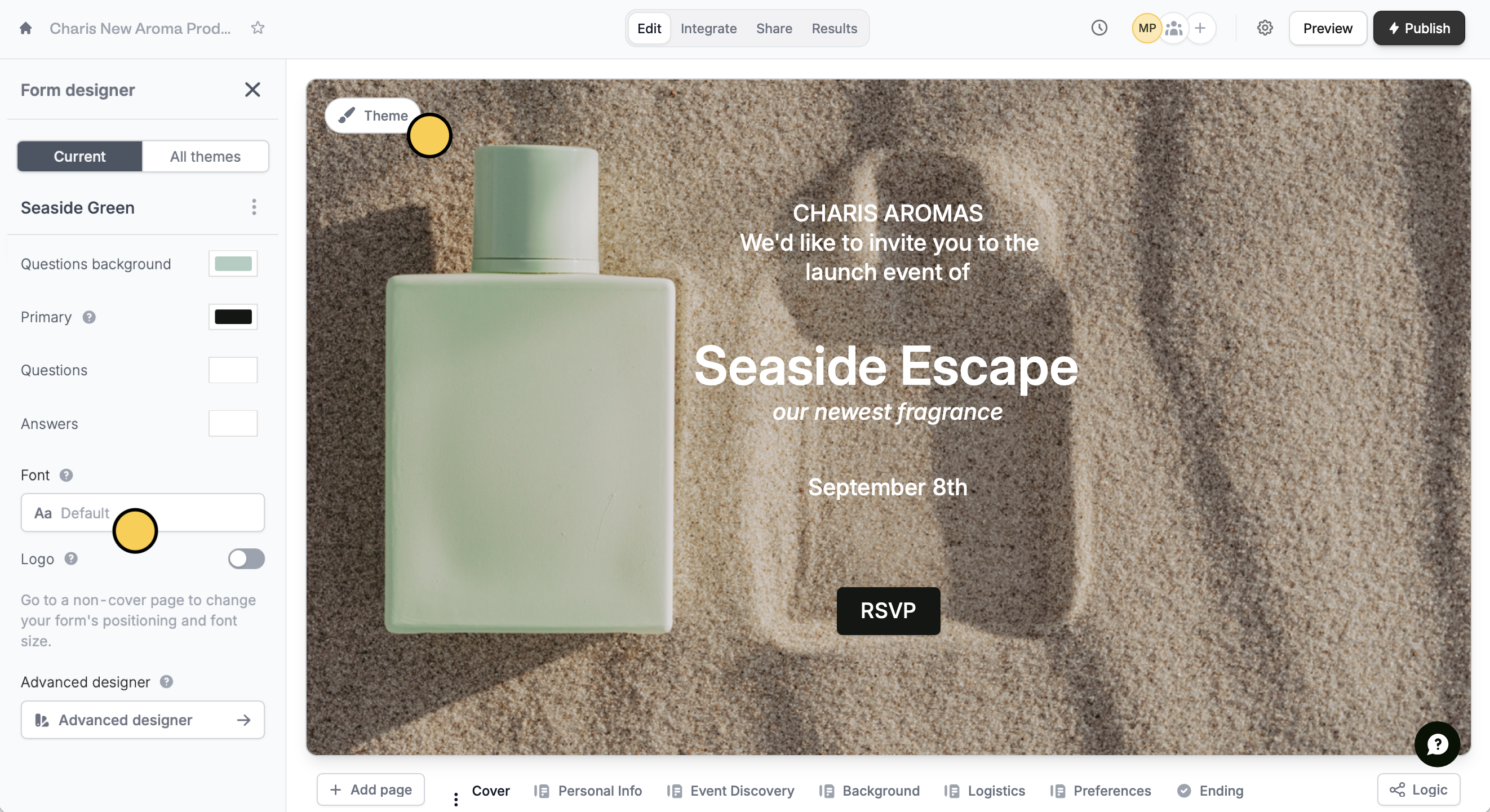
Click `Theme` to open the **Form Designer**. Then, click the `Default` **Font** to change it.
<img src="https://mintcdn.com/fillout-005a867b/Zr9qZkZs-aeCT498/images/Screenshot2025-11-28at3.54.31PM.png?fit=max&auto=format&n=Zr9qZkZs-aeCT498&q=85&s=796319d96d54f041ae6f4335b84ffaff" alt="Screenshot 2025-11-28 at 3.54.31 PM.png" width="2644" height="1441" data-path="images/Screenshot2025-11-28at3.54.31PM.png" />

In the popup, choose between thousands of available Google fonts.

## Upload a font

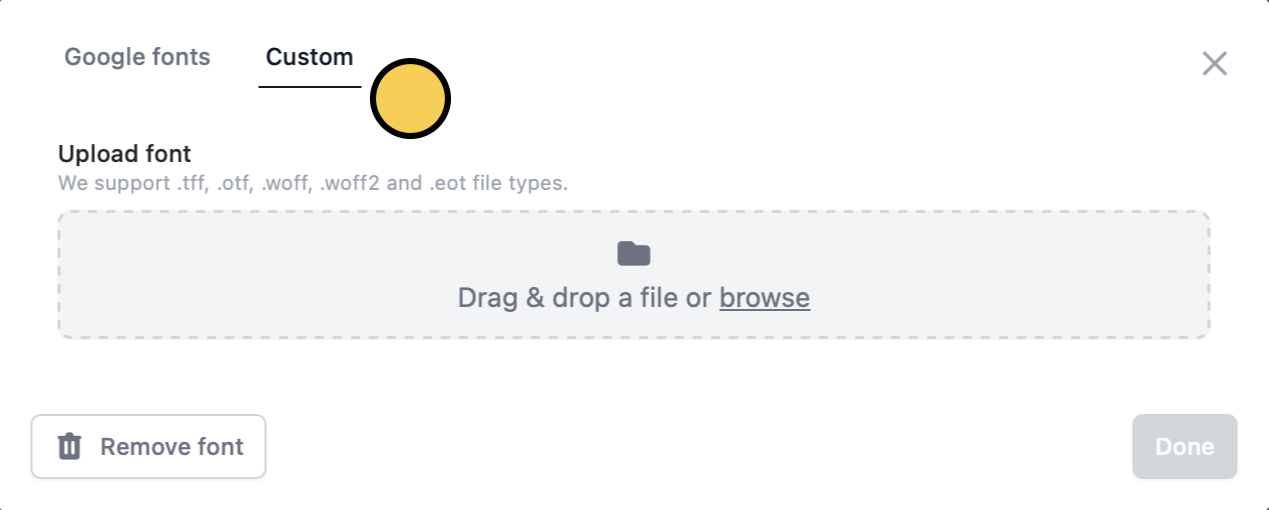
You can also use any font outside the font library. Click `Custom` to add a new font.
<img src="https://mintcdn.com/fillout-005a867b/Zr9qZkZs-aeCT498/images/Screenshot2025-11-28at3.57.56PM.png?fit=max&auto=format&n=Zr9qZkZs-aeCT498&q=85&s=3c72c02ab56472622c83f0b9f2d336ee" alt="Screenshot 2025-11-28 at 3.57.56 PM.png" title="Screenshot 2025-11-28 at 3.57.56 PM.png" style={{ width:"57%" }} width="1269" height="510" data-path="images/Screenshot2025-11-28at3.57.56PM.png" />

<Info>
  Uploading fonts can be done with **Pro**, **Business**, and **Enterprise** plans. Learn more about our pricing plans and advanced features [**here**](https://www.fillout.com/pricing).
</Info>

## Related articles

<CardGroup cols={3}>
  <Card color="#FFC738" icon="palette" iconType="regular" href="/help/themes" title="Themes">
    Select from hundreds of themes or create your own.
  </Card>

  <Card color="#FFC738" icon="image" iconType="regular" href="/help/image-gif" title="Add images or GIFs">
    Use images, GIFs, picture choices, or combine them.
  </Card>

  <Card color="#FFC738" icon="airbnb" iconType="regular" href="/help/logo" title="Add a logo">
    Add a professional touch and create strong brand identity.
  </Card>
</CardGroup>

<SupportBanner />
