> ## Documentation Index
> Fetch the complete documentation index at: https://fillout.com/help/llms.txt
> Use this file to discover all available pages before exploring further.
# Verify submissions with OTP
> Ensure valid responses with email or SMS phone number verification (powered by Twilio) to prevent spam and unwanted submissions.
export const SupportBanner = () => {
const titleId = React.useId();
return ;
};
## Why you should verify submissions
Verifying submissions ensures that the information you receive is accurate and authentic. It helps prevent spam and fraudulent entries, saving time and resources. Additionally, verification builds trust with users by protecting their data and maintaining the integrity of your brand.
## Enable email verification
First, click the email field or question followed by its . In the right-hand panel, toggle the `Send verification code` switch.
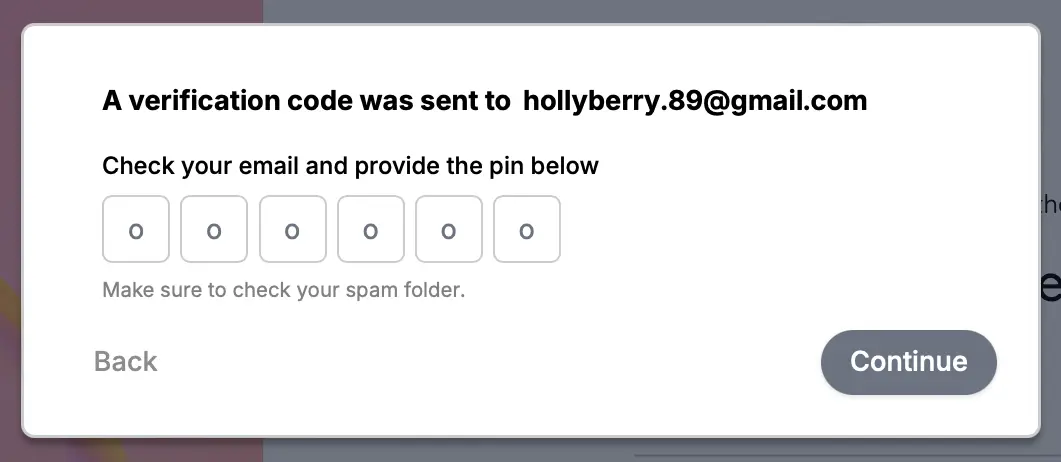
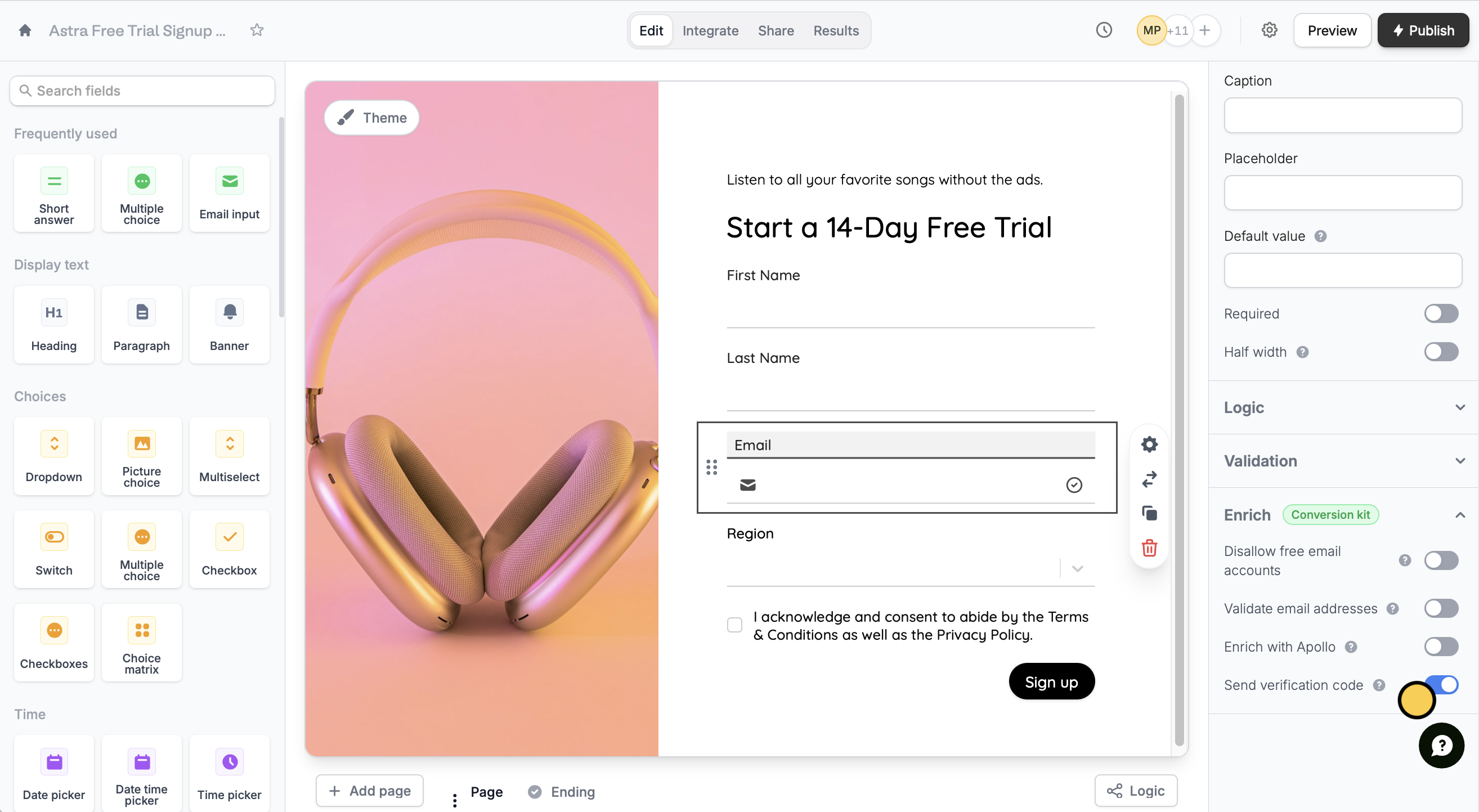 That’s it! A verification code will now be sent to your respondents when they fill out your form.
 OTP verification is part of the conversion kit paid add-on. Learn more and get started [here](https://www.fillout.com/conversion-kit).
## Enable SMS mobile verification
Drag and drop the `Phone number` field to your form or click it if you already have one. Similar to the steps above, turn on the `Send verification code` switch.
If your form is connected to [Twilio](https://build.fillout.com/home/integrations/new/twilio), our SMS verification feature will send messages using your Twilio account.
### For phone numbers outside the US
To send SMS verification codes internationally, you'll need to connect your own Twilio account.
Before enabling SMS verification, make sure your Twilio account is fully set up for SMS delivery in the countries you want to support. Once connected, Fillout will use your Twilio number to send verification codes to international phone numbers. Learn more [here](https://www.twilio.com/docs/messaging/guides/sms-geo-permissions).
### OTP credit limits
| OTP type | Limit |
| --------- | -------------------------------------------------------------------------------------------------------------------------------------- |
| Email | 50/hr for unverified orgs or 250/hr for verified orgs
OTP verification is part of the conversion kit paid add-on. Learn more and get started [here](https://www.fillout.com/conversion-kit).
## Enable SMS mobile verification
Drag and drop the `Phone number` field to your form or click it if you already have one. Similar to the steps above, turn on the `Send verification code` switch.
If your form is connected to [Twilio](https://build.fillout.com/home/integrations/new/twilio), our SMS verification feature will send messages using your Twilio account.
### For phone numbers outside the US
To send SMS verification codes internationally, you'll need to connect your own Twilio account.
Before enabling SMS verification, make sure your Twilio account is fully set up for SMS delivery in the countries you want to support. Once connected, Fillout will use your Twilio number to send verification codes to international phone numbers. Learn more [here](https://www.twilio.com/docs/messaging/guides/sms-geo-permissions).
### OTP credit limits
| OTP type | Limit |
| --------- | -------------------------------------------------------------------------------------------------------------------------------------- |
| Email | 50/hr for unverified orgs or 250/hr for verified orgs
\*Shared with all other transactional emails from that org, no monthly cap |
| SMS/Phone | Subject only to Twilio account-level limits if any |
## Related articles
Validate emails and disallow free email accounts.
Automate SMS updates to customers.