> ## Documentation Index
> Fetch the complete documentation index at: https://fillout.com/help/llms.txt
> Use this file to discover all available pages before exploring further.
# Currency
> Collect monetary amounts and optionally convert them between different currencies in your forms.
export const SupportBanner = () => {
const titleId = React.useId();
return ;
};
## How to add a currency field
First, drag the `Currency` field type onto your form.
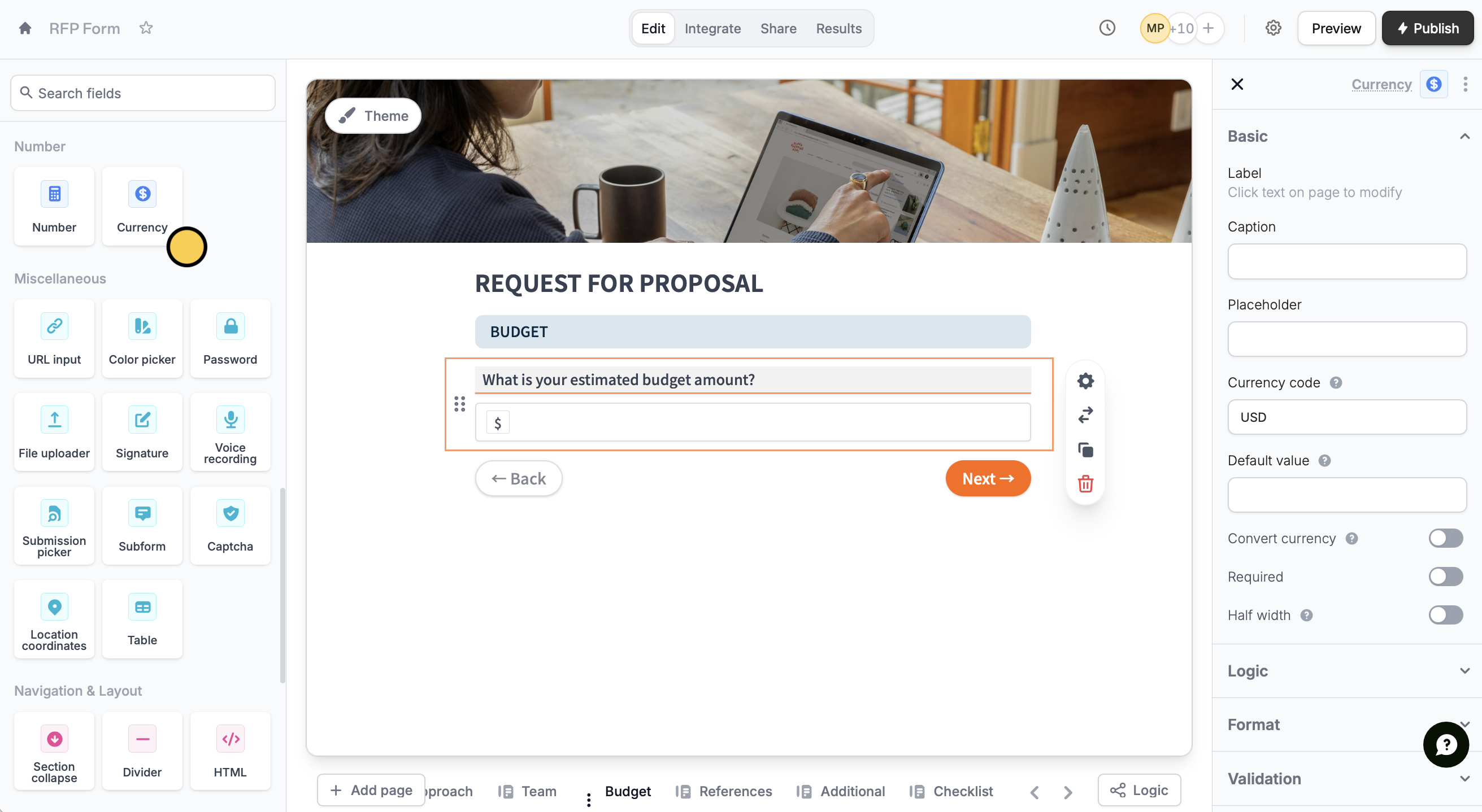 USD is the default **Currency code**. To change this, click its to open the right hand-panel and indicate your preferred currency. [Here is a list](https://taxsummaries.pwc.com/glossary/currency-codes) of all the possible options.
This feature is available on **Starter**, **Pro**, **Business**, and **Enterprise** plans. Learn more about our pricing plans and advanced features [**here**](https://www.fillout.com/pricing).
## Collect a dynamic type of currency
If you'd like to let your respondents choose the currency or if it should be specified by an [external source](/help/integrations) (e.g. Airtable or Notion), click to reference a field from that source.
USD is the default **Currency code**. To change this, click its to open the right hand-panel and indicate your preferred currency. [Here is a list](https://taxsummaries.pwc.com/glossary/currency-codes) of all the possible options.
This feature is available on **Starter**, **Pro**, **Business**, and **Enterprise** plans. Learn more about our pricing plans and advanced features [**here**](https://www.fillout.com/pricing).
## Collect a dynamic type of currency
If you'd like to let your respondents choose the currency or if it should be specified by an [external source](/help/integrations) (e.g. Airtable or Notion), click to reference a field from that source.
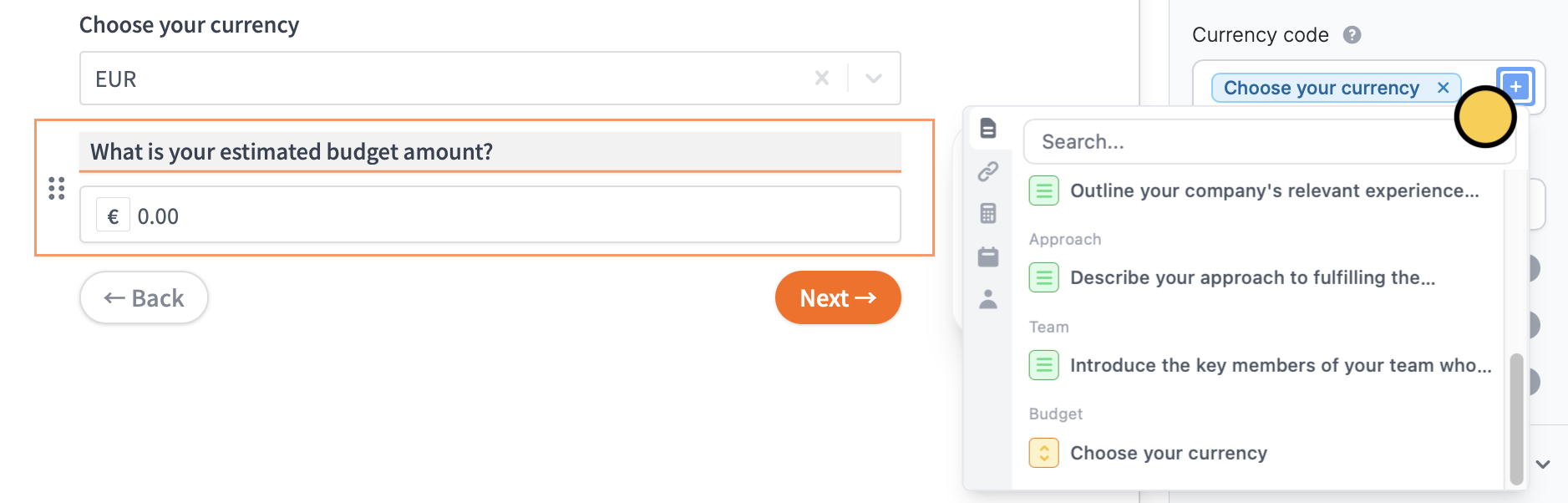 For example, we reference the form's currency dropdown above to let it determine the selected currency type.
## Convert currencies
Enable the `Convert currency` toggle in the right-hand panel to automatically convert the currency the respondent enters. You can specify a fixed currency to convert it to or provide it dynamically using the .
For example, we reference the form's currency dropdown above to let it determine the selected currency type.
## Convert currencies
Enable the `Convert currency` toggle in the right-hand panel to automatically convert the currency the respondent enters. You can specify a fixed currency to convert it to or provide it dynamically using the .
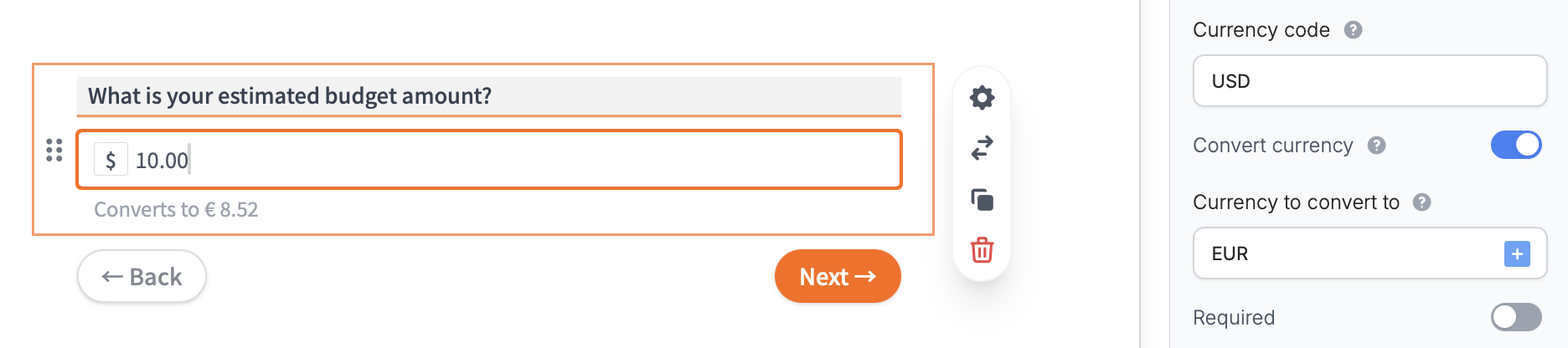 You can also reference the converted amount anywhere in your form by typing **@** and selecting your currency question followed by **Converted value**.
