> ## Documentation Index
> Fetch the complete documentation index at: https://fillout.com/help/llms.txt
> Use this file to discover all available pages before exploring further.
# Cover page
> Welcome users to your form with an animated cover page. Customize design and add a logo to match your brand.
export const SupportBanner = () => {
const titleId = React.useId();
return ;
};
## How to add a cover page
Click `+ Add page` followed by **Cover**. Then, enter the text.
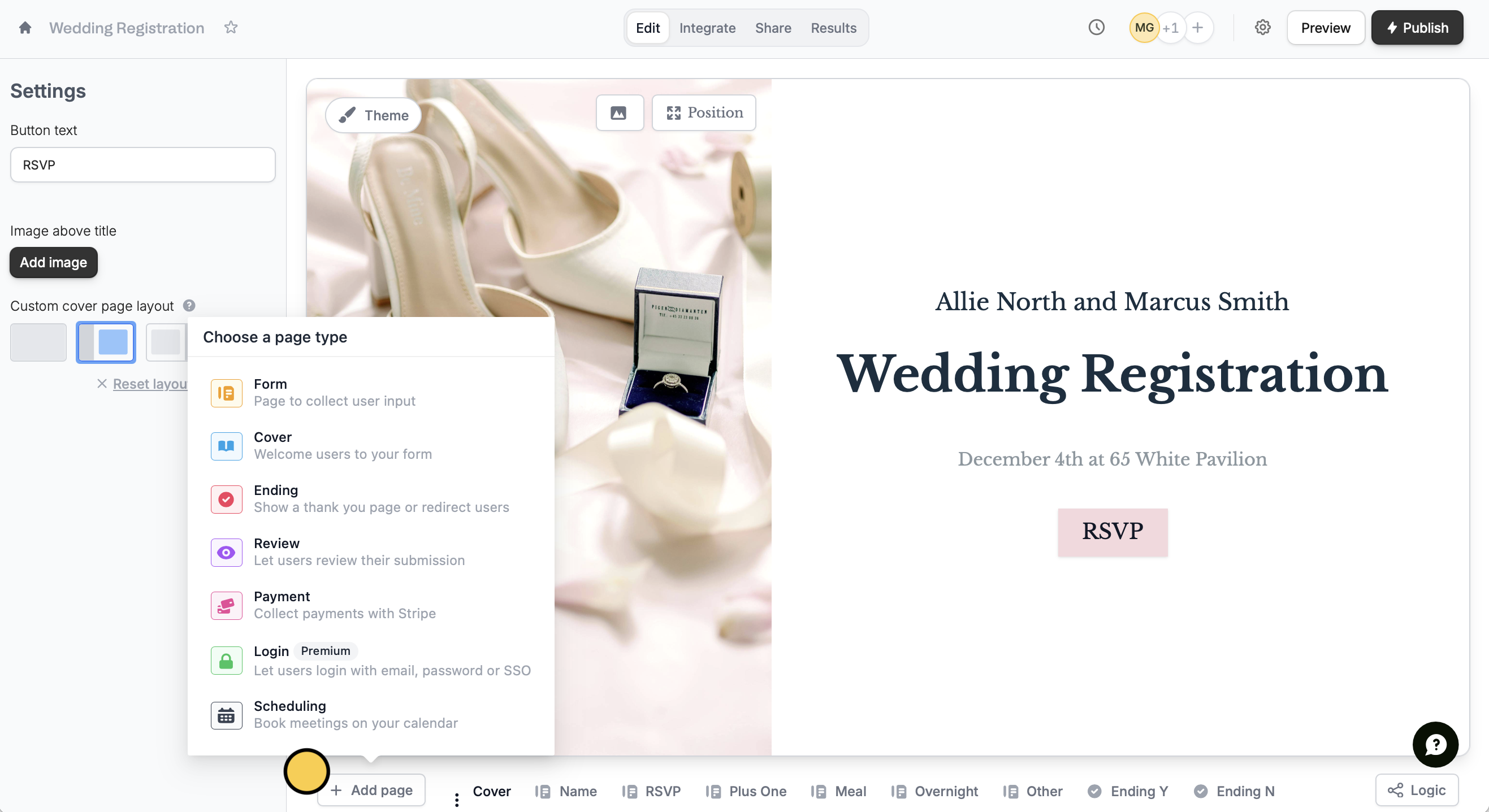 When the form is opened, the text will **animate smoothly**. On the left-hand panel, you can customize your cover page by:
* Editing the button text
* Adding an image above the title
* Changing the custom cover page [layout](https://www.fillout.com/help/layout)
To customize the **design** of your page and add a [logo](/help/logo), click `Theme` in the upper left area. Learn more [here](/help/themes).
## Related articles
Change the position of headings, questions, and background image.
Select from hundreds of themes or create your own.
Add a professional touch and create strong brand identity.
When the form is opened, the text will **animate smoothly**. On the left-hand panel, you can customize your cover page by:
* Editing the button text
* Adding an image above the title
* Changing the custom cover page [layout](https://www.fillout.com/help/layout)
To customize the **design** of your page and add a [logo](/help/logo), click `Theme` in the upper left area. Learn more [here](/help/themes).
## Related articles
Change the position of headings, questions, and background image.
Select from hundreds of themes or create your own.
Add a professional touch and create strong brand identity.