> ## Documentation Index
> Fetch the complete documentation index at: https://fillout.com/help/llms.txt
> Use this file to discover all available pages before exploring further.

# Comment on form submissions

> Leave comments on specific form submissions and tag your teammates to collaborate and start focused discussions. Automatically notify them via email to keep them in the loop.

export const SupportBanner = () => {
  const titleId = React.useId();
  return <div className="support-banner" role="region" aria-labelledby={titleId}>
      <span className="support-banner__ring support-banner__ring--outer" aria-hidden="true" />
      <span className="support-banner__ring support-banner__ring--middle" aria-hidden="true" />
      <span className="support-banner__ring support-banner__ring--inner" aria-hidden="true" />
      <span className="support-banner__ring support-banner__ring--center" aria-hidden="true" />

      <div className="support-banner__content">
        <div className="support-banner__title" id={titleId} role="heading" aria-level="2">Still have questions?</div>

        <div className="support-banner__copy">
          <span className="support-banner__line">Our team is happy to help. Start a live chat using the</span>
          <span className="support-banner__line">
            chat bubble <span className="support-banner__chat-icon" aria-hidden="true" /> in the bottom right, or email us at
          </span>
          <span className="support-banner__line">
            <a href="mailto:support@fillout.com">support{'@'}fillout.com</a>
          </span>
        </div>

        <a className="support-banner__cta" href="mailto:support@fillout.com">Contact us</a>
      </div>
    </div>;
};

## Leave a comment

Open your form, and go to the `Results` page. Right-click a response you’d like to leave feedback or a question on followed by `Add comment`.
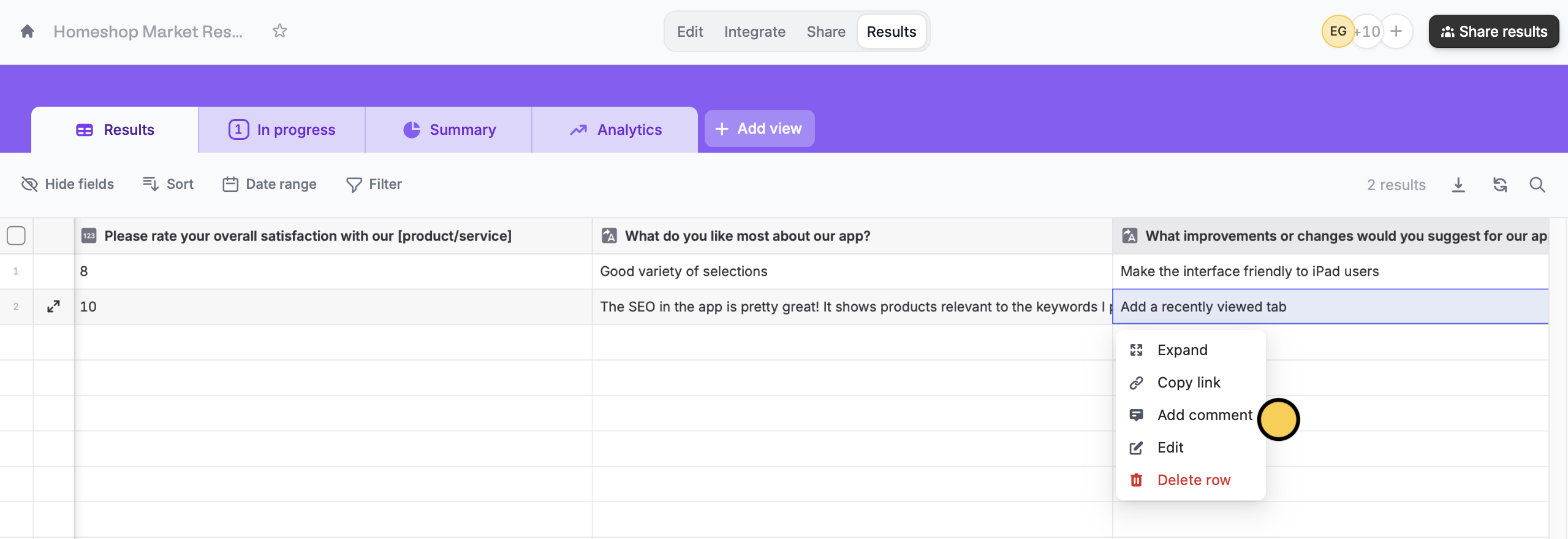
<img src="https://mintcdn.com/fillout-005a867b/sqMHL1vsq2FF7Mzj/images/Screenshot2025-10-09at5.20.24PM.png?fit=max&auto=format&n=sqMHL1vsq2FF7Mzj&q=85&s=a1090ca6900af8e31ddd63e262cbd56f" alt="Screenshot 2025-10-09 at 5.20.24 PM.png" width="2559" height="879" data-path="images/Screenshot2025-10-09at5.20.24PM.png" />

Alternatively, you can hover over the second column from the left and click <Icon icon="arrow-up-right-and-arrow-down-left-from-center" size={15} />.

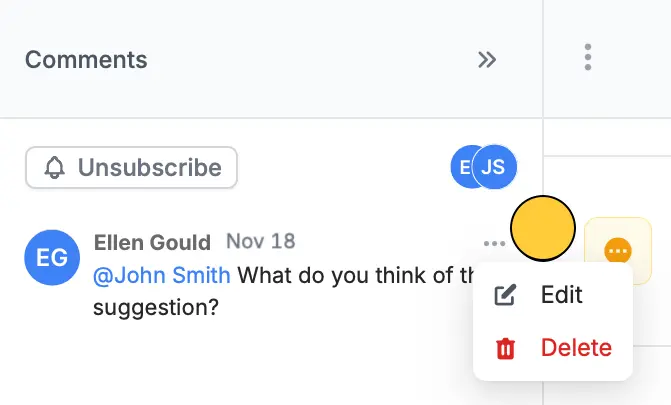
To `Edit` or `Delete` a comment, click <Icon icon="ellipsis" />.

<img src="https://mintcdn.com/fillout-005a867b/wLNVsGbjoddvqJO1/images/account/image-26.png?fit=max&auto=format&n=wLNVsGbjoddvqJO1&q=85&s=48796a5a4aec5729c4a5239b7116c7ec" alt="Leave a comment" style={{ width:"43%" }} width="671" height="405" data-path="images/account/image-26.png" />

## Mention a team member

In the comment box, tag a user by typing **@**, then select a [team member](/help/invite-collaborators) in the dropdown.
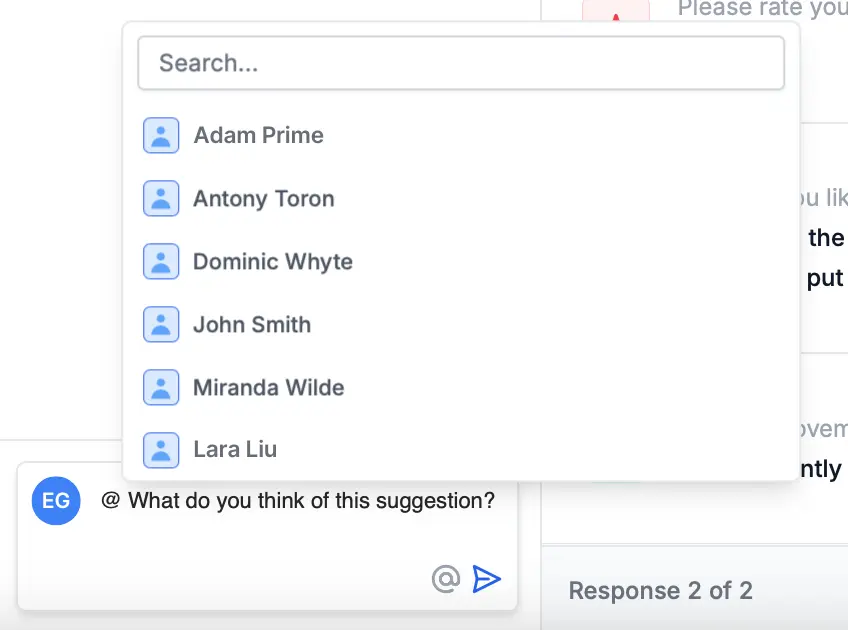
<img src="https://mintcdn.com/fillout-005a867b/wLNVsGbjoddvqJO1/images/account/image-27.png?fit=max&auto=format&n=wLNVsGbjoddvqJO1&q=85&s=b74080ce4032e509139e84c3a5c1edad" alt="Leave a comment" style={{ width:"52%" }} width="848" height="630" data-path="images/account/image-27.png" />

That’s it! The user you tagged will now receive a notification via email.

## Unsubscribe to comments

In the **Comments** panel, simply click `Unsubscribe`.
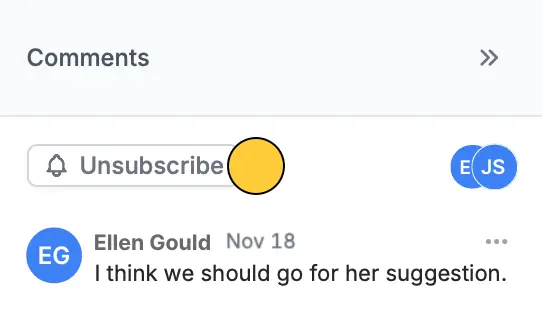
<img src="https://mintcdn.com/fillout-005a867b/wLNVsGbjoddvqJO1/images/account/image-28.png?fit=max&auto=format&n=wLNVsGbjoddvqJO1&q=85&s=0832707d395143d21e6ac6eb7911a155" alt="Leave a comment" style={{ width:"42%" }} width="542" height="333" data-path="images/account/image-28.png" />

## Related articles

<CardGroup cols={3}>
  <Card title="Invite team members to your forms" icon="user-plus" iconType="regular" color="#FFC738" href="/help/invite-collaborators">
    View results, and edit surveys with free seats.
  </Card>

  <Card title="Workspaces" icon="folders" iconType="regular" color="#FFC738" href="/help/workspaces">
    Organize forms in folders and control user access.
  </Card>
</CardGroup>

<SupportBanner />