> ## Documentation Index
> Fetch the complete documentation index at: https://fillout.com/help/llms.txt
> Use this file to discover all available pages before exploring further.

# Add a CAPTCHA field on your form

> Require respondents to complete a CAPTCHA test to prevent spam submissions and ensure only humans submit your form.

export const SupportBanner = () => {
  const titleId = React.useId();
  return <div className="support-banner" role="region" aria-labelledby={titleId}>
      <span className="support-banner__ring support-banner__ring--outer" aria-hidden="true" />
      <span className="support-banner__ring support-banner__ring--middle" aria-hidden="true" />
      <span className="support-banner__ring support-banner__ring--inner" aria-hidden="true" />
      <span className="support-banner__ring support-banner__ring--center" aria-hidden="true" />

      <div className="support-banner__content">
        <div className="support-banner__title" id={titleId} role="heading" aria-level="2">Still have questions?</div>

        <div className="support-banner__copy">
          <span className="support-banner__line">Our team is happy to help. Start a live chat using the</span>
          <span className="support-banner__line">
            chat bubble <span className="support-banner__chat-icon" aria-hidden="true" /> in the bottom right, or email us at
          </span>
          <span className="support-banner__line">
            <a href="mailto:support@fillout.com">support{'@'}fillout.com</a>
          </span>
        </div>

        <a className="support-banner__cta" href="mailto:support@fillout.com">Contact us</a>
      </div>
    </div>;
};

## What is CAPTCHA?

**CAPTCHA**, which stands for Completely Automated Public Turing test to tell Computers and Humans Apart, is a security feature that requires users to prove they are human, preventing automated bots from accessing or submitting information.

## How to add a CAPTCHA field

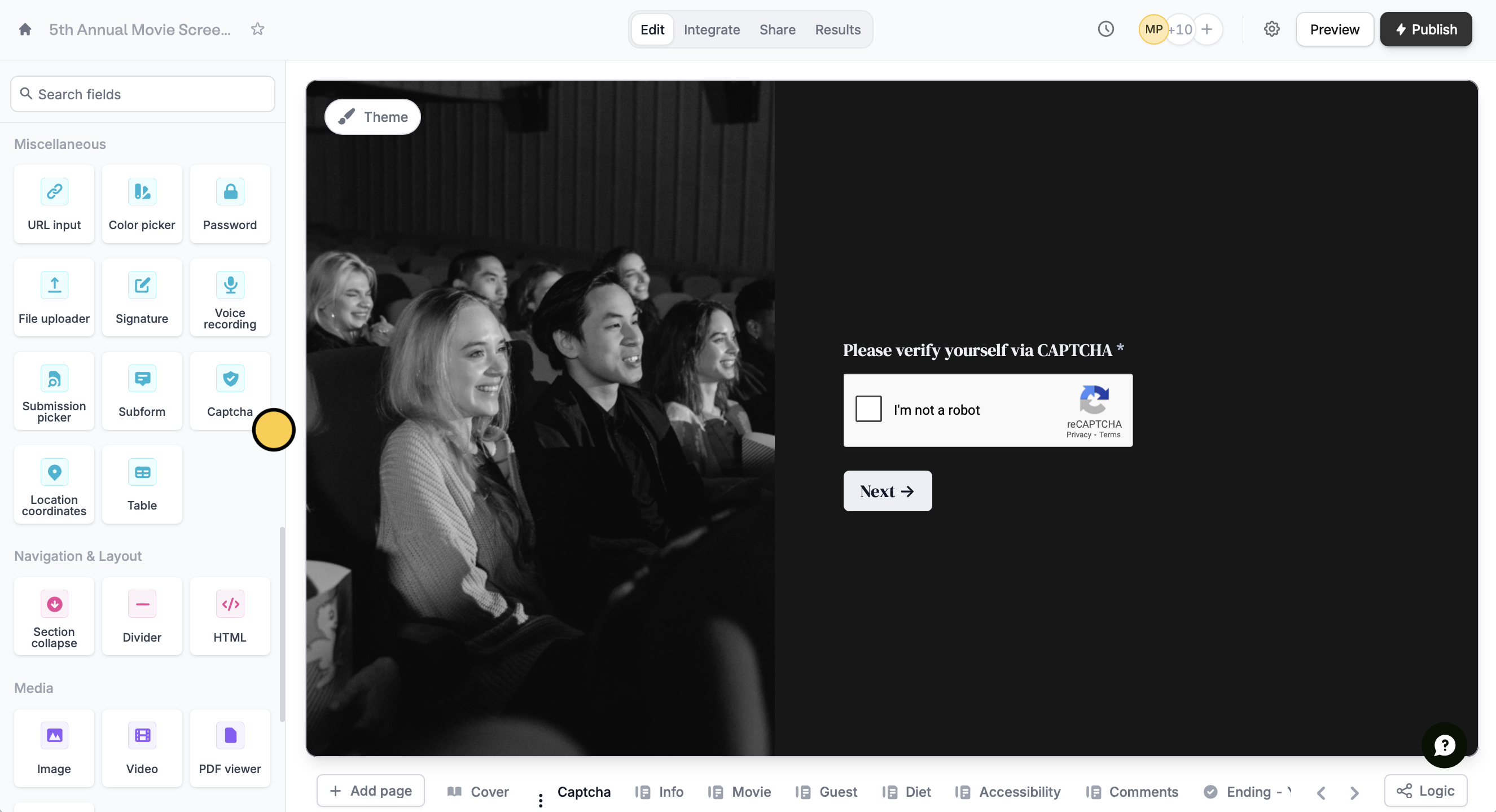
On the left-hand panel of your form, click or drag and drop `Captcha`.
<img src="https://mintcdn.com/fillout-005a867b/vXL9XRlNv0Lls7u6/images/Screenshot2025-10-02at5.37.55PM.png?fit=max&auto=format&n=vXL9XRlNv0Lls7u6&q=85&s=e65e0f2717480cf7c939ed99c2cbe081" alt="Screenshot 2025-10-02 at 5.37.55 PM.png" width="2651" height="1439" data-path="images/Screenshot2025-10-02at5.37.55PM.png" />

That's it! `Publish` and share your form. Respondents will now automatically be asked to verify themselves through this field.

<SupportBanner />
